
Gemini 3.5 Transcribe: Advances in AI Speech-to-Text
Explore Gemini 3.5 Transcribe's AI-powered speech-to-text advances, including editing, custom vocab, and real-time transcription features.
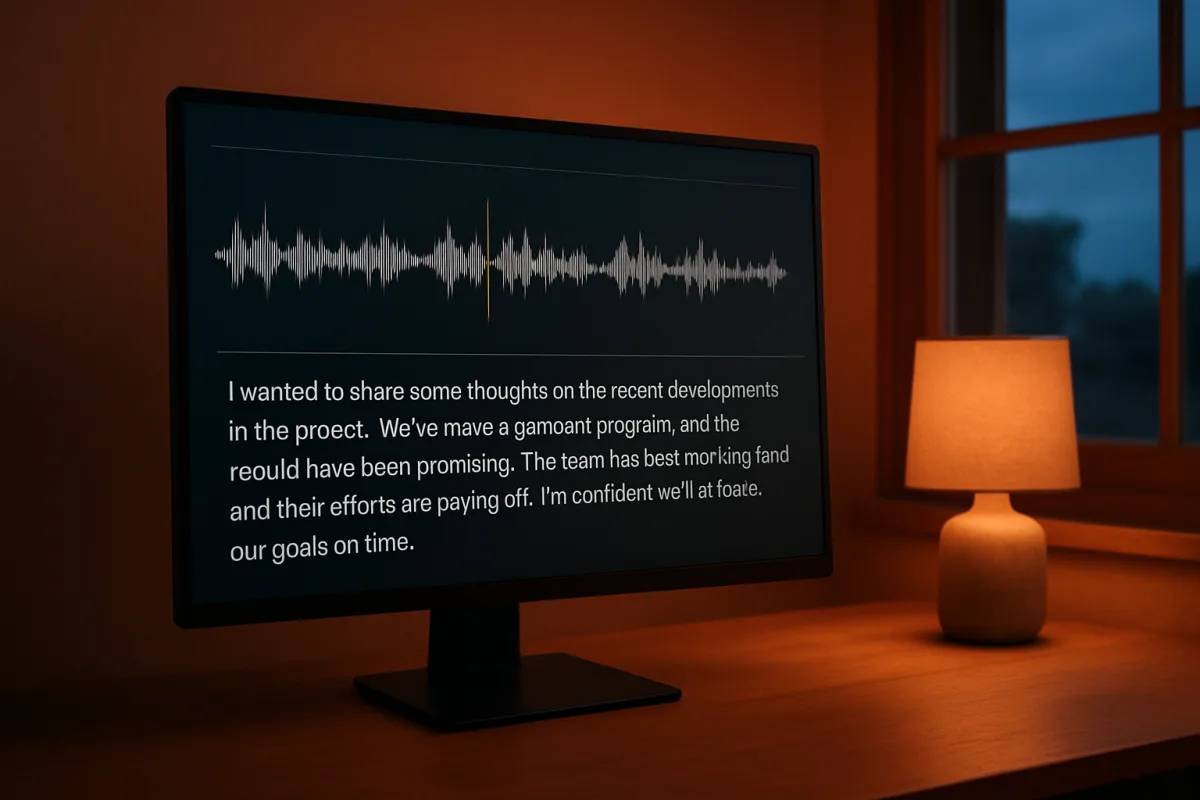
Google’s Gemini 3.5 Transcribe is not a general-purpose “voice AI” model. It is a speech-to-text component intended to turn incoming audio into text that is cleaner and more useful to downstream software, especially voice agents, dictation tools, captions and call-analysis systems. Its distinguishing feature is that it is willing to edit: remove fillers, resolve self-corrections, format text and bias recognition toward supplied vocabulary.
That can be useful. It also means teams need to decide whether they need a faithful record of speech or an interpretation of what the speaker meant before they put the model in front of customers, clinicians or regulated workflows.
First, decide whether you need a transcript or polished dictation
The first problem is conceptual, not technical. Conventional transcription aims to preserve the words spoken. Gemini 3.5 Transcribe’s “smart transcription” mode is designed to produce edited text, removing words such as “um” and “uh,” handling self-corrections, and applying formatting. Google positions this as a better fit for voice commands and natural dictation than literal speech recognition. [3]
For a voice agent, this can reduce avoidable failures. A customer saying, “Book, sorry, move my appointment to Thursday at, uh, 3 pm,” ideally produces an actionable intent rather than a transcript that forces the next model to untangle the repair. Google says Gemini 3.5 Transcribe can make such cleanup while understanding the broader utterance. [1]
But that same behavior is a poor default for records where wording matters. A support transcript used for quality review, a legal deposition, an insurance claim, or a clinical note should not silently replace what a person said with a cleaner version of their likely intent. Ars Technica’s reporting makes the central trade-off clear: the system technically changes wording, even when that edit appears sensible in short dictation. [1]
Build two output paths if the application spans both categories:
- Use an edited transcript for command parsing, composing messages and conversational agent state.
- Preserve raw audio, and where policy permits, retain a more literal transcription path for audit, review and dispute handling.
- Mark machine-cleaned text as edited in the interface. Do not present it as a verbatim quote.
- Make users confirm consequential actions, especially when a correction, negation, quantity, date or proper noun determines the result.
The launch is an incremental but practical improvement in the speech pipeline, not evidence that voice input now has human-grade semantic reliability.
Then solve the jargon problem before blaming the recognizer
Specialized vocabulary is where ordinary speech-to-text systems often fail in ways that look trivial but break workflows. Product names, drug names, internal acronyms, customer account terminology, legal citations and unusual spellings are rarely represented evenly in broad speech datasets.
Gemini 3.5 Transcribe allows developers to provide a custom vocabulary so the system can adapt recognition toward particular spelling requirements and domain jargon. [3] This is one of the more concrete reasons to consider it for an enterprise voice agent. A field-service agent, for example, may need to distinguish a site-specific asset code from a similarly sounding common word. A medical scheduling assistant may need names of procedures and local clinician names. The model’s vocabulary feature is intended to bias those cases rather than leave every uncommon term to generic language modeling.
Treat the vocabulary list as production configuration, not a one-time prompt:
- Start with terms that cause real operational errors: proprietary products, abbreviations, employee names, place names, codes and regulated terminology.
- Include expected spoken variants, acronyms and spelling variants where the workflow needs a canonical written output.
- Version the list by customer, region or deployment. A global vocabulary file will create collisions between tenants and domains.
- Build a regression set of short clips containing the terms in full sentences, not just isolated words.
- Measure entity accuracy separately from overall word error rate. A system can post a good WER while repeatedly misspelling the one medication or part number that matters.
Google’s claims about jargon handling are feature claims, not independent evidence of robust performance in noisy, domain-specific conditions. The available research did not identify comprehensive third-party studies of Gemini 3.5 Transcribe’s failures with specialized jargon or difficult acoustic environments. That is a reason to test your own vocabulary and microphones, not a reason to assume the feature will fail.
Design the real-time path around what streaming actually returns
For a responsive voice agent, latency is often more visible to users than a small aggregate accuracy difference. Google says Gemini 3.5 Transcribe reaches final transcription 70 percent faster than its previous Chirp 3 model. [3] That figure should be treated cautiously. The research brief finds no independent user study or benchmark validating the claimed speedup, and Google’s announcement does not establish the full end-to-end delay a developer will see after audio capture, network transport, agent reasoning, tool calls and speech synthesis.
Do not translate “70 percent faster” into a promise that an agent will feel 70 percent more responsive. Instrument the pipeline in stages:
- microphone capture to first partial transcript
- partial transcript to stable final segment
- final segment to agent decision
- tool-call completion
- response audio start
That decomposition will tell you whether transcription is actually the bottleneck. For many agents, it will not be.
Google has made Gemini 3.5 Transcribe available through the Gemini API and Google AI Studio, as well as the Gemini Enterprise Agent Platform. [3] Its launch material also points developers to real-time media infrastructure providers including Agora, LiveKit, Pipecat and Vercel. [3] Those integrations may reduce media-streaming work, but they do not remove the need to set interruption rules, end-of-turn detection and recovery behavior.
In particular, do not confuse Gemini 3.5 Transcribe with the separately described Gemini 3.5 Live models. The Verge reported that Google initially supplied information suggesting new Gemini 3.5 Live and Live Experimental launches, then clarified that those models were not being launched and provided no replacement date. [4] Build against the transcription model and currently available APIs, not features mentioned in an early launch narrative.
Do not promise speaker labels in a live meeting
Multi-speaker audio is the next common deployment failure. Google says Gemini 3.5 Transcribe supports speaker attribution and word-level timestamps, with reliable identification for up to three speakers in pre-recorded audio. [3] That wording matters.
The research brief qualifies the launch claims: speaker diarization is not available in live streaming, and word-level timestamps are unavailable in live streaming or can degrade accuracy. Support beyond three speakers is experimental. This is not full feature parity between a post-call batch workflow and a live agent.
That leads to a fairly clear architecture choice:
- For a one-to-one customer agent, associate the customer and agent channels at the media layer if possible. Do not rely on model diarization to tell you who spoke.
- For recorded calls with up to three people, use post-call transcription when speaker labels and timestamps are requirements.
- For meetings, contact centres with transfers, or overlapping speech, plan for uncertainty. Store channel metadata, speaker events and conversation state separately from the text model’s labels.
- Do not make authorization, compliance scoring or billing decisions based solely on an inferred speaker label.
This limitation is particularly important in noisy rooms and multilingual conversations. Google says the model handles live language switches and supports more than 85 languages. [3] That is broad language coverage, not proof that rapid code-switching, non-native accents and overlapping speakers will work consistently. The research brief flags all three as remaining weaknesses.
Read the accuracy numbers as benchmark results, not a buying verdict
Google’s launch post reports 5.50 percent word error rate in streaming mode and 5.04 percent in non-streaming tests across a selection of languages and locales from the FLEURS benchmark. [3] Ars Technica notes that Google compared the streaming figure with Chirp 3’s 7.32 percent. [1] That is a meaningful improvement over the prior Google model, but it is not a basis for calling Gemini the market accuracy leader.
The independent research brief cites Artificial Analysis figures of 4.0 percent streaming WER and 2.6 percent non-streaming WER for Gemini 3.5 Transcribe, which do not match Google’s quoted 5.5 and 5.04 percent results. The discrepancy is a reminder that WER moves with the evaluation set, language mix, segmentation, streaming protocol and scoring rules. Compare methods only on the same corpus and task.
The brief also places AssemblyAI Universal-3.5-Pro at 3.3 percent WER and Reson8 Realtime at 3.5 percent, lower than Gemini’s reported 5.5 percent live-speech result. [2] Gemini 3.5 Transcribe therefore appears competitive rather than demonstrably best in class.
For evaluation, create a test set that resembles deployment:
- real caller microphones and network artifacts
- silence, interruptions and talk-over
- local accents and non-native speakers
- jargon-rich requests
- numbers, dates, addresses and account identifiers
- language switching if your customers do it
- adversarially similar names and commands
Report at least four measures: WER, named-entity accuracy, task completion rate and correction rate. A voice agent can tolerate an omitted filler word. It cannot safely tolerate changing “cancel” to “confirm.”
Price the whole agent, and watch the platform deadline
Google’s developer pricing is tiered by platform. As of August 26, 2026, Google AI Studio’s Standard Tier is listed at $1.50 per million input tokens and $9.00 per million output tokens, with possible additional charges for context caching, storage and grounding with Google Search or Maps after free quotas. [6] Google’s Enterprise Agent Platform introductory rate is $0.75 per million input tokens and $3.75 per million output tokens through December 31, 2026, after which standard pricing is scheduled to double to $1.50 and $7.50 respectively. [7]
Those are model-platform prices, not the total cost of a deployed telephone or web voice agent. Budget separately for audio transport, telephony where relevant, recordings, storage, observability, application hosting, downstream language-model calls, text-to-speech, human review and compliance work.
Before choosing a platform based on the introductory enterprise rate, calculate a January 2027 scenario. The entry price is lower, but the published standard price doubles. [7] Also determine how audio is tokenized and billed in your exact API path before forecasting per-call costs. Token prices alone are not a monthly call-centre budget.
Handle data governance before shipping the microphone
Finally, transcription changes the data risk profile of an application. Audio can contain biometric-adjacent information, financial details, health information, children’s voices, workplace discussions and third-party speech. Smart cleanup can add another governance concern because the produced text is an interpretation, not necessarily an exact record.
A deployment may need to address GDPR, the EU AI Act, CCPA, HIPAA, Singapore’s PDPA, the Australian Privacy Act, data-localization rules and cross-border transfer safeguards. The applicable obligations depend on the data, location, customer role and industry. There is no universal “enterprise-ready” setting that resolves this.
Before a production rollout, document:
- where audio and transcripts are processed and stored
- retention and deletion schedules for both raw audio and edited text
- consent and notice flows for every participant, not only the account holder
- whether transcripts feed training, quality review or automated decisions
- human escalation for uncertain or consequential outputs
- access controls and audit logs for recordings and custom vocabulary lists
Gemini 3.5 Transcribe gives developers a useful new option for cleaner dictation and jargon-aware voice interfaces. Its strongest practical fit is a controlled, single-speaker or two-party agent where edited text is desirable and the team can test vocabulary against real traffic. For meeting transcription, regulated records and complex live speaker attribution, its stated limitations deserve more weight than the launch’s broad claims.
Frequently Asked Questions
What distinguishes Gemini 3.5 Transcribe from traditional speech-to-text models?
Gemini 3.5 Transcribe is designed not just to transcribe speech verbatim but to produce cleaner, more useful text by removing filler words, resolving self-corrections, formatting text, and biasing recognition toward a supplied vocabulary. This makes it better suited for voice commands and natural dictation rather than exact speech transcription.
How does Gemini 3.5 Transcribe handle filler words and self-corrections?
The model’s “smart transcription” mode actively removes filler words like “um” and “uh” and resolves self-corrections to produce a polished transcript. This editing helps reduce errors in downstream tasks such as voice agent commands but means the output is an interpretation rather than a literal record of speech.
Can Gemini 3.5 Transcribe be customized for domain-specific jargon?
Yes, developers can provide a custom vocabulary to bias recognition toward specific spellings and domain jargon, such as product names, acronyms, or medical terms. This feature helps reduce errors with specialized terminology that general speech-to-text models often miss.
What are the limitations of Gemini 3.5 Transcribe in live multi-speaker scenarios?
While Gemini 3.5 Transcribe supports multi-speaker identification reliably for up to three speakers, support beyond that is experimental and speaker diarization is not available in live streaming. Additionally, word-level timestamps and diarization degrade accuracy in live streaming, limiting effectiveness in complex or noisy multi-speaker environments.
How much faster is Gemini 3.5 Transcribe compared to previous models?
Google claims Gemini 3.5 Transcribe produces final transcriptions 70 percent faster than its previous Chirp 3 model based on internal benchmarks. However, no independent studies have validated this speedup, and the full end-to-end latency experienced by users depends on other factors like network and agent processing.
Sources
Real-time voice AI agents, explained (before you build one) — Google Cloud Tech
Intelligent transcription with Gemini 3.5 Transcribe — Google DeepMind Blog
Google announces Gemini 3.5 Transcribe for AI-powered speech-to-text — Ars Technica AI
Google’s new AI transcription edits out your ‘ums’ and ‘ahs’ — The Verge AI
Google announces Gemini 3.5 Transcribe for AI-powered speech-to-text - Ars Technica
Best Speech-to-Text (STT) Models 2026: Most Accurate & Lowest Latency | Openbenchmarks
Google unveils Gemini 3.5 Transcribe speech-to-text model By Investing.com
Gemini 3.5 Live Translate: Features, Limits, How It Works (2026)
Gemini Developer API pricing | Gemini API | Google AI for Developers
Watch AI-Powered Speech-to-Text and Transcription Advances with Gemini 3.5 on Youtube
Related Articles
Gemini 3.5 and 3.8 Voice AI Technologies Explained
Explore Gemini 3.5 and 3.8 voice AI technologies, including transcription, TTS models, and best practices for accurate speech applications.
Local Voice AI Pipeline: Privacy and Processing Explained
Explore how local voice AI pipelines work, focusing on privacy, processing boundaries, and practical speech recognition with OpenWhispr.

AI-Powered Tools and Interfaces: Innovations and Comparisons
Explore innovations in AI-powered tools and interfaces, comparing features, use cases, and trade-offs for users and developers.
AI Models and Chips Comparison in 2026: Jalapeño vs Gemini
Compare AI models and chips in 2026, including OpenAI's Jalapeño and Google's Gemini 3.7 Flash, with insights on performance, cost, and deployment.