
Gemini 3.5 and 3.8 Voice AI Technologies Explained
Explore Gemini 3.5 and 3.8 voice AI technologies, including transcription, TTS models, and best practices for accurate speech applications.
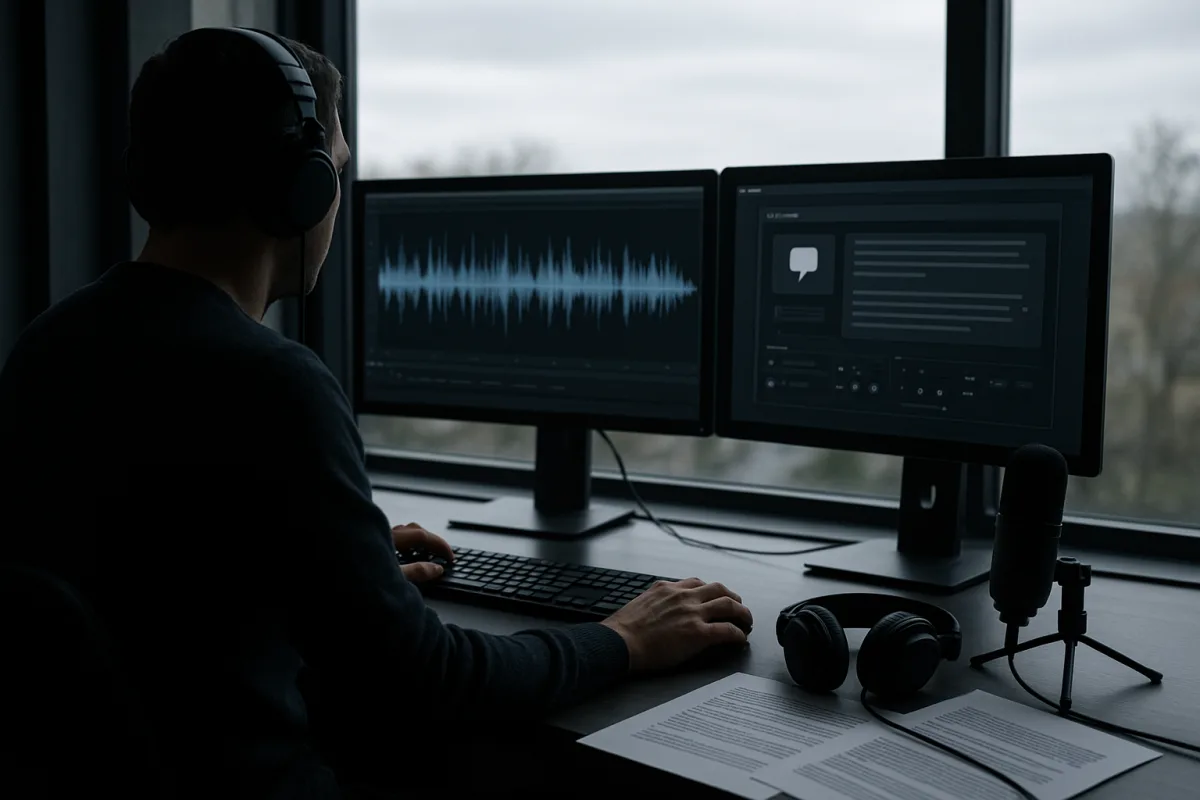
Start by separating transcription from voice generation
Google’s current voice stack splits into three materially different jobs: speech recognition, speech generation, and live conversational orchestration. Treating them as one “voice AI” feature is how teams end up with a polished demo and an unclear production architecture.
Gemini 3.5 Transcribe turns incoming speech into text. Gemini 3.8 Flash TTS and Gemini 3.8 Flash-Lite TTS turn text into generated speech. Gemini Live models sit in the interaction layer, accepting continuous audio and deciding whether to answer or request a tool call.
That division matters because the useful controls differ. A transcription pipeline needs language expectations, vocabulary hints, timestamps, and perhaps speaker separation. A TTS system needs voice selection, style direction, disclosure, and a review process for generated output.
Google Cloud Tech’s transcription walkthrough describes two model IDs and two request patterns. Use the standard Gemini 3.5 Transcribe model with a synchronous Generate Content request for a completed recording, and Gemini 3.5 Transcribe Live with the Live API for continuously arriving audio.
Pick the transcription mode before designing the interface
For an existing meeting recording, customer call archive, podcast, or uploaded voice note, batch transcription is the simpler path. The Google Cloud Tech developer guide shows audio supplied either as bytes loaded into memory or by a Cloud Storage URI.
Cloud Storage references are the operationally sensible option when recordings already land in a controlled bucket. They avoid moving large files through an application server merely to submit them again, and make retry and audit workflows easier to build.
For captions, dictation, or an in-call assistant, open a persistent Live API session over WebSockets. Google Cloud Tech recommends sending raw PCM blocks paced roughly in real time, while receiving changing interim transcript segments and finalized segments separately.
Do not save interim text as though it were final. The model can revise it as additional audio arrives. Update the caption or text field with interim transcription, but append only finalized transcription to the permanent record.
Language auto-detection is useful for unpredictable inputs, but it is not always the most reproducible choice. Google Cloud Tech’s guide allows expected language codes, including multiple languages, which is preferable when you know the call center, clinician, or market involved.
Add domain vocabulary before declaring transcription reliable
The highest-leverage transcription control is custom vocabulary. Google Cloud Tech’s medical-scribe demonstration uses terms including Nissen fundoplication and pyrosis, showing the intended use: bias the recognizer toward terms that a generic speech model may mishear or misspell.
Build vocabulary lists from real operational artifacts, not from a brainstorming session. Include product names, staff names, drug names, abbreviations expanded into their spoken forms, reference numbers, regional place names, and common variants of specialist terminology.
Then create a held-out evaluation set from recordings that resemble production conditions. Measure term-level recall, numeric accuracy, and errors with business consequences. A low overall word-error rate can conceal a dangerous failure on dosage, account number, or contract clause.
Google Cloud Tech presents background-noise handling and multi-speaker recognition as strengths, but the product documentation is narrower than that marketing-level claim. Recorded-audio diarization supports up to eight speakers, while performance with three or more speakers is experimental. [17]
Live transcription has a sharper limitation: speaker diarization is not supported for streaming audio. [17] If your live workflow needs “agent” and “customer” labels, obtain them from telephony channels or application metadata rather than expecting the transcription model to infer them.
Word timestamps are valuable for searchable media libraries, captions, compliance review, and transcript-to-video alignment. They are not a free extra, however. Enabling word-level timestamps reduces transcription accuracy and cuts maximum audio duration per request from one hour to 30 minutes. [18]
There are also feature conflicts. Google’s Gemini API documentation says smart transcription cannot be combined with timestamp granularity or diarization mode. [18] Decide whether your product needs the cleanest reading transcript, precise temporal alignment, or speaker attribution, then test the chosen compromise.
Turn transcripts into analysis, but preserve the source evidence
A transcript becomes more valuable when a second model extracts structured facts, summaries, sentiment signals, or escalation reasons. Google Cloud Tech demonstrates this pattern by passing a transcribed support call to Gemini 3.7 Flash for sentiment scoring and resolution summarization.
That is a reasonable pipeline, but do not store the generated analysis as a substitute for the transcript or source recording. Sentiment and summaries are interpretations, and they should retain links to the original audio, timestamped text, and confidence or review status.
For support analytics, ask for a strict schema such as issue category, requested resolution, promised action, evidence spans, and escalation flag. Requiring evidence spans makes it easier for a reviewer to inspect why a model identified “billing dispute” or “unresolved complaint.”
Gemini 3.5 Transcribe pricing was not available in the supplied research. Do not assume it matches Gemini 3.8 TTS pricing, and do not use a generated-audio price estimate to budget a large call archive. Obtain the current transcription rate directly from Google Cloud before committing.
Choose the TTS model by the cost of a bad voice
Gemini 3.8 Flash TTS is the expressive model. According to Sam Witteveen’s examination of the release, it is aimed at character voices, audiobooks, podcasts, games, and other material where delivery, pacing, and personality affect the result.
Gemini 3.8 Flash-Lite TTS is positioned for high-volume generation, dubbing, voice agents, and bulk audio jobs. It is the appropriate starting point where accurate utterance generation matters more than making every line sound like a performed reading.
Neither product has a simple per-minute sticker price in the supplied pricing material. As of September 26, 2026, Gemini 3.8 Flash TTS Standard Tier is listed at $0.50 per million input text tokens and $9.00 per million output audio tokens through December 31, 2026. [2]
That same listing says prices double from January 1, 2027. Context-cache storage is $0.50 per million tokens per hour through 2026, rising to $1.00 thereafter. [2] This makes sustained-context designs worth modelling rather than assuming cache use is negligible.
Gemini 3.8 Flash-Lite TTS Standard Tier has the same listed $0.50 per million input tokens but $6.00 per million output audio tokens through 2026. [2] It therefore suits large-volume applications, although the saving is meaningful rather than transformative.
Both models are listed across Standard, Batch, Flex, and Priority tiers, but the supplied data only gives concrete Standard Tier rates. [2] Budget against actual expected output tokens and the applicable serving tier, not an assumed fixed audio-minute conversion.
Design voices first, clone only when you must
Google offers more than 2,000 voices, voice design using natural-language descriptions, and line-level direction such as whispered, rushed, sarcastic, or amused delivery. Data Today reports a 71.4 result for Flash TTS on Hume AI’s Voice Design Benchmark. [4]
That benchmark result is not proof that it produces the most natural or lowest-latency voice for every deployment. There is no supplied direct comparative evidence covering latency, naturalness, or accuracy against all leading 2026 TTS systems. [3]
Start with a library voice or a designed synthetic voice. Write a short script containing difficult names, numbers, abbreviations, interruptions, emotional shifts, and ordinary conversational sentences. Generate several candidates, select one under a documented rubric, and lock it for the product version.
Voice design is especially useful when you need a category rather than a particular person: a measured regional narrator, a bright product guide, or a restrained support voice. It reduces the legal and reputational need to imitate a recognizable individual.
Google’s voice-cloning workflow reportedly uses a 30-second reference sample and requires a spoken consent clip that matches the reference speaker, with SynthID watermarking and C2PA credentials on output. [4] Those are platform safeguards, not a complete legal compliance program.
Written, explicit, and revocable consent is the safer operational standard for commercial voice cloning. [5] Store the agreement, identity verification, approved uses, expiration or revocation terms, source sample provenance, and the internal project that generated each clone.
This matters particularly for outreach. Federal TCPA restrictions apply to AI-generated calls without prior express consent, and the proposed No Fakes Act would add remedies for unauthorized digital replicas. [6] State and international rules further complicate a product sold across jurisdictions.
The EU AI Act’s Article 50 transparency requirements took effect on August 2, 2026, according to Cognitive Future’s legal guide. [9] Build audible or visible synthetic-voice disclosure into the product experience rather than treating it as optional metadata.
Make live agents act without pretending they control anything
A live model can decide to request an action, but it cannot itself start music, update an account, book an appointment, or control a browser. Google Cloud Tech’s live tool-calling guide frames the loop accurately: declare, decide, execute, return.
Your application declares a set of functions with names, parameter schemas, and descriptions. The model selects a tool call, application code validates and executes it, then returns the result so the conversation can continue with the updated state.
Tool descriptions are not documentation after the fact. The model uses them to select actions. If it chooses the wrong function, first make the descriptions mutually exclusive, specify preconditions, and name the expected arguments before changing prompts or adding tools.
Google Cloud Tech shows two implementation styles. The raw Google Gen AI SDK leaves your application responsible for dispatching calls and sending responses. Google’s Agent Development Kit can infer schema from a Python function signature and use its docstring as a description.
The framework saves boilerplate, but it does not remove the need for authorization. A tool call should be validated against the authenticated user, account state, permissions, rate limits, and business rules. The model’s request is not proof that the action is permitted.
Use the ADK-style before-tool callback, or its equivalent in your stack, as a mandatory policy checkpoint. Google Cloud Tech describes three useful actions there: log the call, block it with a controlled result, or rewrite arguments before execution.
Prevent silence, overload, and microphone exposure
The main user-experience failure in a voice agent is a long pause after the model selects a tool. Google Cloud Tech’s advice is blunt: synchronous tools make the agent wait, so acknowledge quickly, return an immediate result, and run slow work elsewhere.
That means “I’m checking that now” should come from the conversational layer while a durable background job handles long browser interactions, report generation, or external system calls. Do not leave a user listening to unexplained silence while an API waits.
Production systems also need more than an asynchronous function. Real-time voice deployments must manage continuous audio, tool and UI event streams, concurrency, quotas, observability, device-specific audio behavior, and retries. [14] A working browser demo does not establish those properties.
Security deserves the same architecture review as latency. IT Pro reported a Chrome Gemini Live flaw that allowed malicious extensions to access cameras and microphones. [15] Apply least-privilege permissions, isolate secrets from the client, inspect extensions and dependencies, and log microphone-session lifecycle events.
Finally, keep the agent’s actions narrow at launch. Start with read-only retrieval or easily reversible commands, measure tool-selection errors and latency, then expand to state-changing actions only after the policy layer, audit trail, and recovery path are demonstrably working.
Frequently Asked Questions
What are the key features of Gemini 3.5 Transcribe?
Gemini 3.5 Transcribe converts recorded speech into text and supports batch processing of audio files either loaded into memory or referenced via Cloud Storage URIs. It allows custom vocabulary to improve recognition of domain-specific terms and supports diarization for up to eight speakers in recorded audio, though performance with more than three speakers is experimental. Word-level timestamps are available but reduce accuracy and maximum audio duration per request.
How do Gemini 3.8 Flash and Flash-Lite TTS differ?
Gemini 3.8 Flash TTS is designed for expressive narration, character work, and controlled delivery, making it suitable for nuanced voice generation. In contrast, Gemini 3.8 Flash-Lite TTS prioritizes pronunciation accuracy and throughput for high-volume text-to-speech tasks, sacrificing some performance nuance for efficiency.
How to optimize transcription accuracy with Gemini 3.5?
To optimize accuracy, incorporate a custom vocabulary tailored to your domain, including product names, staff names, and specialist terminology derived from real operational data. Evaluate transcription quality using a held-out set of representative audio to measure term recall and critical errors before automating downstream processes.
How does Gemini 3.5 handle live transcription limitations?
Gemini 3.5 Transcribe Live supports streaming audio transcription but does not provide speaker diarization in this mode. For workflows requiring speaker labels, such as identifying “agent” and “customer,” these should be obtained from telephony metadata or application sources rather than relying on the transcription model. Additionally, interim transcripts can be revised as audio continues, so only finalized text should be saved permanently.
How we researched this
This article was assembled from 4 video sources across 2 channels, 18 cited references.
Nothing here is based on hands-on testing. Where a figure or finding appears, it belongs to the source cited beside it, and the writing says so rather than implying otherwise. Every source is listed below so you can check it.
Sources
A Developer’s Guide to Gemini 3.5 Transcribe — Google Cloud Tech
Gemini 3.8 Flash TTS with Voice Cloning — Sam Witteveen
Give your voice AI agent real abilities (tool calling) — Google Cloud Tech
Turn Audio into Action with Gemini 3.5 Transcribe — Google Cloud Tech
Exclusive: Senator presses AI voice cloning companies on stopping scammers
Gemini 3.8 Flash TTS — price, context & status · AI Model Watch
Gemini 3.8 TTS: 2,000 voices you can direct line by line | Data Today
Are AI Voice Scam Calls Illegal? Federal and State Law (2026) | Recording Law
Gemini 3.8 Live: Features, Benchmarks, Pricing, Access | DataCamp
Flaw in Chrome's Gemini Live gave attackers access to user cameras and microphones
Gemini 3.5 Transcribe | Gemini Enterprise Agent Platform | Google Cloud Documentation
Watch AI-Powered Voice and Speech Technologies with Gemini 3.5 and 3.8 on Youtube
Also from the sources
Related Articles
Gemini 3.5 Transcribe: Advances in AI Speech-to-Text
Explore Gemini 3.5 Transcribe's AI-powered speech-to-text advances, including editing, custom vocab, and real-time transcription features.
Local Voice AI Pipeline: Privacy and Processing Explained
Explore how local voice AI pipelines work, focusing on privacy, processing boundaries, and practical speech recognition with OpenWhispr.
AI Models and Chips Comparison in 2026: Jalapeño vs Gemini
Compare AI models and chips in 2026, including OpenAI's Jalapeño and Google's Gemini 3.7 Flash, with insights on performance, cost, and deployment.
TrueForge vs Hermes Agent
Compare TrueForge and Hermes Agent, two open source AI agent platforms, to find the best fit for deployment, security, and personal assistant use cases.