
AI-Powered Multimedia Workflows for Content Creation
Explore AI-powered multimedia workflows that enhance video editing, coordination, and content creation with practical tool comparisons.
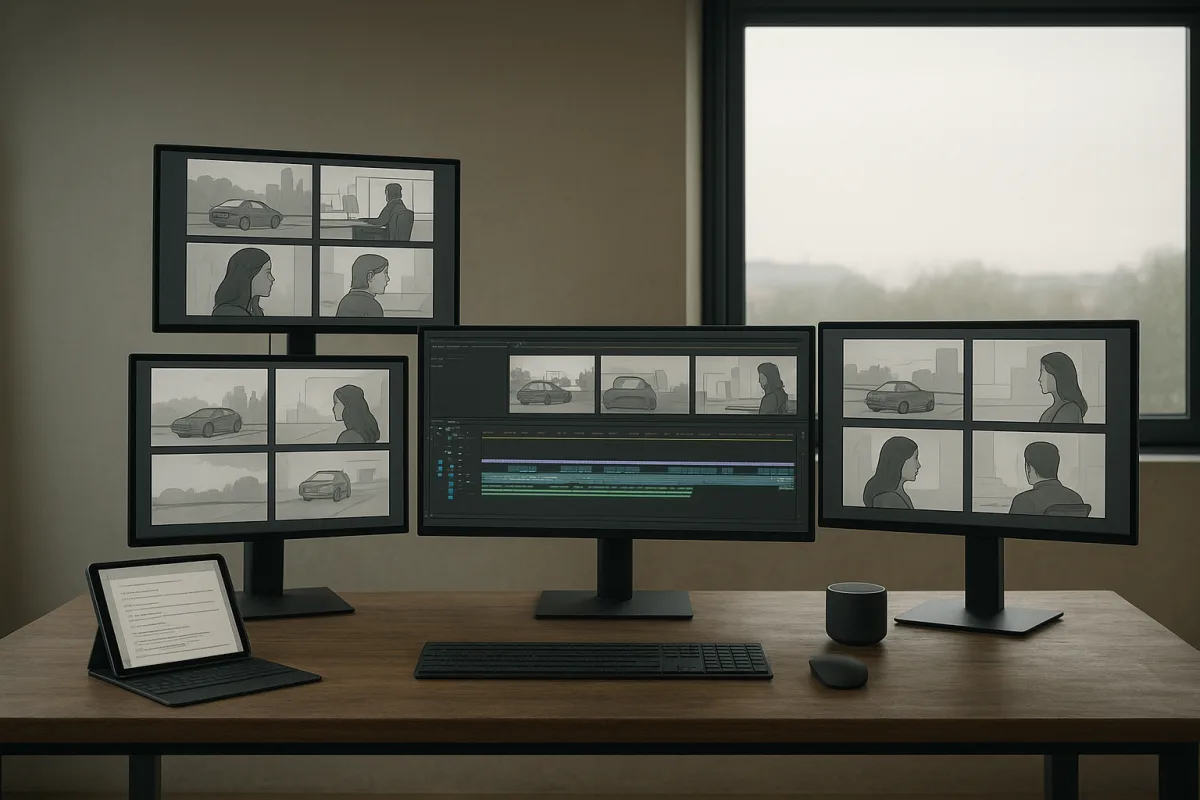
The quick list
- Best overall: Higgsfield Bridge with Blender and Claude, for filmmakers and creative teams who need controllable previsualisation before paying for video generation.
- Best for social content: Hyperframes with Codex, for solo creators repackaging talking-head footage into short-form, motion-heavy formats.
- Best for hands-free coordination: GPT-6 Astra Voice Mode with Codex, for operators who want to create briefs, delegate browser tasks and route work from voice commands.
- Best value for prototyping: NVIDIA Inference Microservices, or NIM, for developers testing multiple AI models without immediate API charges.
- Best for planning, not editing: GPT-6 Astra, for teams that need an agent to inspect text and images, prepare edit decisions and operate interfaces, while another tool does the media work.
The real choice is not which system makes the flashiest demo. It is where control needs to sit in a multimedia workflow.
A creator making a daily stream of vertical clips needs fast selection, captions, layouts and reusable visual rules. A director developing a product shot needs dependable blocking, camera continuity and a way to revise a scene before spending generation credits.
Those are different problems. The material from AI News, Nate Herk | AI Automation and the independent research brief describes tools that are often grouped together as “AI video editing,” although they automate different stages and leave important work unresolved.
The most misleading claim in this category is that a general-purpose agent has replaced an editor. It has not. An agent can assemble a brief, locate assets, operate a browser, create an edit plan or invoke other services. Rendering, generation, sound design and final judgement still happen elsewhere.
Comparison table
| Option | What it actually does | Price stated in the material | Output size or format | Setup and layout | Principal trade-off |
|---|---|---|---|---|---|
| Higgsfield Bridge, Blender and Claude | Builds an editable 3D previs from text, then uses that motion reference for cloud video generation | Paid Higgsfield subscription required, exact subscription price not supplied | AI News demonstrates 1,920 by 1,080 at 24 fps; Seedance 2.5 is described as supporting clips up to 30 seconds | Blender 4.2 to 5.1, Higgsfield account, internet connection and Claude MCP connector | More setup, and it improves shot control rather than guaranteeing photorealism or narrative quality |
| Hyperframes with Codex | Uses transcript-driven rules and templates to assemble cuts, captions, crops, motion cards and asset selections | The Nate Herk | AI Automation “student kit” is presented as free, but no product subscription or generation costs are provided | One creator example reduces a 14-minute recording to 9 minutes; shown in horizontal and vertical variants | Codex desktop app, Hyperframes installation and reusable skills |
| GPT-6 Astra Voice Mode with Codex | Takes spoken requests, creates threads and coordinates connected tasks across apps | $10 per million input tokens and $50 per million output tokens | No native video or audio output | Voice chat, Codex threads, project context and connected services such as calendars or collaboration tools | It can plan and route work, but it does not natively edit or render media |
| GPT-6 Astra for browser and content tasks | Processes text and images, researches, drafts and operates supported software interfaces | $10 per million input tokens and $50 per million output tokens | Text and image inputs, not direct video generation | Needs access to the relevant web tools, files and accounts | Agent actions can be slow, brittle and expensive at scale |
| NVIDIA NIM | Offers API access to a catalogue of foundation models for prototype applications and agent back ends | Free development tier; production NVIDIA AI Enterprise costs $4,500 per GPU annually, or about $1 per GPU hour in cloud | Model dependent, no fixed media format | NVIDIA Developer Program membership and phone verification | Roughly 40 requests per minute shared per API key, plus production licensing and infrastructure costs |
Best overall: Higgsfield Bridge with Blender and Claude
The AI News channel’s Blender, Claude and Higgsfield walkthrough is the strongest option for a problem that text-to-video still handles poorly: spatial intent. Instead of asking a model to infer a camera move from prose, the workflow creates a rough 3D scene first.
The production sequence is sensible. A prompt sent through the Higgsfield Bridge connector lets Claude construct objects, animation and camera movement in Blender. The creator then renders a playblast, uses it as motion reference and sends that reference to Higgsfield for final generation.
That division matters. Blender is the source of truth for timing, blocking and camera path. Higgsfield is the appearance-generation layer. If a truck needs to move through a corridor while the camera follows a specific arc, revising the 3D blockout is cheaper and more deterministic than repeatedly rewriting a text prompt.
AI News shows a 1,920 by 1,080, 24 fps reference render and a 14-second Seedance 2.5 generation. It also claims that Seedance 2.5 can make watermark-free video-to-video clips up to 30 seconds long. That is useful for a shot workflow, not evidence that a 30-second generation will maintain perfect identity, physics and continuity.
The independent research brief adds the operational details omitted by the polished setup. Higgsfield Bridge supports Blender versions 4.2 through 5.1, requires an internet connection and a signed-in Higgsfield account, and performs AI generation in the cloud. A local GPU is relevant to Blender rendering, not Higgsfield’s AI generation.
The plug-in download is presented as free by AI News, but the workflow requires an active paid Higgsfield subscription. Neither the supplied reporting nor transcript gives a subscription price, so it would be misleading to call this the cheapest option. It also excludes Claude access, cloud generation use and any paid source models.
This is a previsualisation system, not a magic cinematography button. It can reduce camera drift and make an edit master reusable across variants, but the final model can still alter details, mishandle contacts or produce implausible motion. The benefit is better constraints, not guaranteed compliance.
Best for social content: Hyperframes with Codex
The Hyperframes demonstration from Nate Herk | AI Automation is aimed at a more common creator workflow: turn a recorded explanation into a tighter long-form edit, then turn the underlying topic into fast-cut vertical clips.
The channel shows Codex and Hyperframes transcribing footage, cutting pauses and stumbles, switching between screen capture and presenter views, adding subtitles, generating transition cards and applying animated crops. In one cited example, a 14-minute recording becomes a 9-minute edit.
For short-form pieces, the system is shown changing visual elements every second or two, using B-roll, paper-like animations, sound effects and captions. That editing grammar is familiar from social platforms, and a reusable skill can encode it better than a fresh prompt every time.
Still, the workflow is less autonomous than the framing suggests. The shown outputs rely on existing footage, existing YouTube clips, an available Google Drive logo, a prepared style system and a creator-defined editing skill. Asset selection and factual verification remain creative and editorial tasks.
The Nate Herk | AI Automation channel calls its Hyperframes student kit free, but gives no public price for Hyperframes, Codex usage or any underlying generation services. The “free” label therefore applies to a training resource or skill package, not necessarily to operating the whole stack.
Use this route when the material is already structured around a speaker, screen recording or known asset library. It is less appropriate for projects requiring shot-level continuity, original character animation, precise 3D staging or careful rights management across externally collected B-roll.
Best for hands-free coordination: GPT-6 Astra Voice Mode with Codex
GPT-6 Astra Voice Mode is more interesting as a control surface than as a media tool. Nate Herk | AI Automation demonstrates spoken requests that create separate Codex threads, instruct them to work within a named project context and coordinate work across those threads.
The examples include converting a YouTube upload into an X article, producing a 5-by-2 article thumbnail, inspecting a course structure for a landing page and adding meeting data to a personal operating system. Those are multi-step information-management tasks with an interface automation component.
The channel also presents a claimed 60-second event recap assembled from more than 150 GB of event footage. That is a striking demonstration, but the independent research brief directly qualifies the premise: GPT-6 Astra does not natively generate or edit video or audio.
In practical terms, Astra may inspect material, draft a sequence, assign sub-tasks and invoke other connected tools. It is not itself the nonlinear editor, renderer, audio workstation or visual-effects package. Any reliable production pipeline still needs those tools and explicit handoffs.
The published token price is $10 per million input tokens and $50 per million output tokens. That is 2.5 times the cited $4 and $20 per-million rates for GPT-5.6 Sol. Large archives, repeated retries and agentic browsing can therefore become expensive even before video-generation costs arrive.
The research brief also notes an example of GPT-6 Astra completing the game Portal in 24 hours at a reported $571 in token cost. That is not a video-editing benchmark, but it is a useful warning against equating autonomous-looking workflows with low operating cost.
Voice does not remove the need for controls. It makes delegation easier while walking or commuting, but also makes vague instructions easier to issue. Require confirmations before external posting, spending money, changing calendars or granting access to client folders.
Best value for prototyping: NVIDIA NIM
NVIDIA NIM is not a video editor, but it belongs in this roundup because it can be the model layer beneath content workflows. Nate Herk | AI Automation describes NVIDIA offering free API access to more than 80 models. The independent research brief updates that figure to more than 100 models.
The free tier requires NVIDIA Developer Program membership and phone verification, but no credit card. It is useful for trying model-backed script analysis, tagging, retrieval, caption review, prompt generation or agent orchestration before committing to a vendor-specific production stack.
There is a material limit. The research brief puts the free allowance at approximately 40 requests per minute, shared across models for each API key. NVIDIA does not publish stable per-model or per-user limits, so teams should treat it as a prototyping facility rather than capacity planning.
Production requires NVIDIA AI Enterprise at $4,500 per GPU per year, or roughly $1 per GPU hour in the cloud. A 90-day evaluation licence is available. Those figures do not include the cost of storage, orchestration, observability, data pipelines or third-party media generation.
NIM is worthwhile when a developer needs to compare models behind a creation workflow. It is not a substitute for a finished multimedia product, and it does not solve the hard product questions of rights, review queues, brand guardrails or reliable output evaluation.
What the demonstrations measure, and what they omit
These demonstrations largely measure best-case task completion. They show whether a workflow can produce a plausible output under prepared conditions, often with preexisting assets, contextual project files and a creator who knows how to recover when an agent gets confused.
They do not establish error rates across a large catalogue, total cost per finished minute, rights clearance accuracy, timeline stability, revision burden or the frequency of silent failures. Nor do they demonstrate that an agent can judge whether a cut is legally safe or editorially appropriate.
The underlying concern is less science-fictional than promotional narratives suggest. Model and agent behavior can be opaque, particularly when many tools, prompts and connected accounts are involved. Axios notes the broader problem of AI systems becoming difficult to understand and audit [1].
That is why the best workflow is usually the one with visible intermediate artefacts. Blender scenes, shot lists, transcripts, edit-decision lists, asset manifests and approval steps make it possible to identify where an unwanted output came from and revise it without restarting everything.
Who each option suits
Higgsfield Bridge with Blender and Claude suits directors, motion designers, agencies and technically inclined creators who need repeatable camera choreography. Its price is a paid Higgsfield subscription plus related services, none of which are fully priced in the supplied material.
Hyperframes with Codex suits solo educators, YouTubers and marketing teams with a library of talking-head footage, screenshots and branded assets. The shared student kit is described as free by Nate Herk | AI Automation, while the ongoing software and model costs are unspecified.
GPT-6 Astra Voice Mode with Codex suits founders and operations-heavy creators who need to turn spoken requests into research, briefs, browser actions and delegated tasks. At $10 per million input tokens and $50 per million output tokens, it needs cost monitoring and approval gates.
GPT-6 Astra for planning and interface work suits teams that want an agent to prepare an edit plan, gather source material or operate software around a production process. It costs the same token rates, but requires separate video, audio and rendering tools to finish media.
NVIDIA NIM suits developers building internal content systems or comparing models before choosing a provider. Its prototype tier is free with verification, while production pricing starts at $4,500 per GPU annually or about $1 per GPU hour, before the wider system costs.
Frequently Asked Questions
What are the best AI-powered workflows for multimedia content creation?
For filmmakers needing precise control over camera paths and staging, the Higgsfield Bridge with Blender and Claude workflow is recommended, though it requires a paid Higgsfield subscription. For social content creators repurposing talking-head footage, Hyperframes with Codex offers practical template-led editing. GPT-6 Astra Voice Mode with Codex is suited for hands-free coordination and task routing, while NVIDIA NIM provides a low-cost option for prototyping AI models.
How does AI improve video editing and previsualization?
AI workflows like Higgsfield Bridge with Blender and Claude improve previsualization by creating editable 3D scenes that define timing, blocking, and camera movement before video generation. This approach allows for more deterministic and cheaper revisions compared to rewriting text prompts for camera moves. Template-driven tools like Hyperframes automate cuts and captions, speeding up social content editing, though they depend heavily on supplied assets and human review.
Which AI tools help coordinate multimedia production tasks?
GPT-6 Astra Voice Mode combined with Codex is designed to coordinate multimedia production by processing spoken requests, creating task threads, and routing work across connected applications such as calendars and collaboration tools. However, it does not perform native video or audio editing and focuses on planning, briefing, and delegating rather than media generation.
What are the trade-offs between different AI video creation workflows?
Workflows like Higgsfield Bridge prioritize control and repeatability over speed and require paid subscriptions and cloud credits, making them more suitable for complex shot planning. Hyperframes offers faster, template-based editing but depends on quality templates and human oversight. NVIDIA NIM allows low-cost prototyping but has rate limits and requires production licensing for scale. GPT-6 Astra excels at planning and coordination but cannot directly edit or render media, limiting its standalone use.
Can AI fully replace human editors in multimedia workflows?
No, current AI agents like GPT-6 Astra cannot fully replace human editors. They can assist with briefing, asset location, and edit planning but do not natively perform rendering, generation, sound design, or final editorial judgment. Human review and intervention remain necessary to ensure quality and coherence in multimedia production.
How we researched this
This article was assembled from 3 video sources across 2 channels, 1 cited reference.
Nothing here is based on hands-on testing. Where a figure or finding appears, it belongs to the source cited beside it, and the writing says so rather than implying otherwise. Every source is listed below so you can check it.
Sources
GPT-6 Astra Finally Solves AI Video Editing (full guide) — Nate Herk | AI Automation
GPT-6 Astra Voice Mode Automates Literally Anything — Nate Herk | AI Automation
New Blender + Claude + Higgsfield AI Workflow Beats Every AI Video Tool — AI News
Watch AI-Powered Multimedia and Content Creation Workflows on Youtube
Also from the sources
Related Articles
AI Automation in Video Editing: Tools, Workflows, and Limits
Explore AI automation in video editing, including tools like Claude Opus 5.5 and Hyperframes, workflows, and practical limitations for content creators.

AI Content Creation: Infinite Streaming and Agentic Avatars
Explore AI content creation with infinite streaming and agentic avatars for continuous, scalable video production and brand workflows.
AI Automation Tools for Content Creation and Trading Use
Explore AI automation tools like Claude Opus 5.5 and GPT-6 Astra for content creation and trading, with pricing and practical use case insights.
Generative AI Content Creation
Learn how generative AI content creation tools and workflows boost marketing efficiency and ensure compliance with best practices.