
AI Model Deployment Best Practices and Cloud Infrastructure
Learn AI model deployment best practices, GPU selection, serverless options, and securing cloud infrastructure for efficient AI inference.

Start with the request path, not the GPU
The first deployment question is not which accelerator to rent. It is what happens between a user request and a returned result: synchronous chat, queued document extraction, image generation, batch classification, or an agent that writes data back to a database.
This distinction determines whether serverless infrastructure is appropriate. A user waiting for a chat response notices startup delay immediately, while a document-processing job can tolerate a queue, retries and a several-minute completion window.
Google Cloud Tech’s application-planning walkthrough makes a useful architectural point: do not generate information that is stable enough to store. Its example keeps exercise descriptions, instructional material and form guidance in a predefined library, while the model assembles those records into a personalised workout.
Apply the same pattern to LLM products. Generate an answer, recommendation or plan when it adds value, but retrieve product facts, policy text, approved templates and user-specific records from a database or search index.
That reduces token use, but more importantly it narrows the model’s job. A model should not have to recreate a canonical knowledge base merely because the application lacks a retrieval layer or an adequate data model.
Design different paths for different latency budgets. Google Cloud Tech recommends separate operations for full plan generation and small edits, rather than asking one general endpoint to decide whether a request should rewrite an entire week or replace one exercise.
For an LLM application, that often means one endpoint for long-running generation, another for structured updates, and a conventional API for reads and deterministic actions. Tool calling can select those actions, but permissions must be enforced by the application, not delegated to the model.
Decide whether scale-to-zero is worth the wait
Serverless GPU platforms remove idle-instance billing, not infrastructure trade-offs. Krish Naik’s sponsored RunPod tutorial describes the basic model accurately: a request reaches an endpoint, waits in a queue, starts a GPU worker if necessary, runs a Python handler, then returns JSON.
That is convenient for a proof of concept, low-volume API or bursty workload. It is less attractive when every request must meet a tight latency target, because loading a model and initialising a worker can dominate actual inference time.
Industry guidance places cold starts for 7B parameter models at roughly 30 to 150 seconds, and 13B to 70B models at roughly 90 to 390 seconds. Those ranges are broad because model format, image construction, weight download and GPU availability matter, but they rule out assuming instant scale-up. [7]
RunPod advertises FlashBoot as a way to reduce cold-start delay, and Naik presents it as a central serverless feature. Treat that as a platform-specific mitigation, not evidence that cold starts disappear under production load.
Modal also offers scale-to-zero GPU inference, which suits workloads with genuine idle periods and asynchronous completion paths. [3] Neither approach substitutes for a capacity test using your model, container, region, prompt length and concurrency pattern.
For an interactive assistant, run a small always-ready pool during known busy periods, then scale down outside them. For jobs such as nightly embedding, media processing or compliance review, queue work and allow scale-to-zero to do its economic job.
Select hardware from measured memory needs
Choose a model first, quantify its memory footprint after quantisation, then select a GPU. Many serverless offerings expose GPUs with roughly 24 GB to 48 GB of memory, while larger models may need 80 GB to 192 GB before allowing for key-value cache and concurrent requests.
Quantisation can make deployment feasible, but it is not free capability. Measure answer quality, structured-output validity, throughput and latency after applying the quantisation level you plan to ship, especially for multilingual, reasoning or tool-use workloads.
RunPod lists per-second pricing that, at the cited hourly equivalents, is $2.72 for an NVIDIA A100, $4.79 for an NVIDIA H100, $3.49 for an RTX 6000 Pro, $8.64 for a B200 and $10.65 for a B300. [1] The A100 suits established inference workloads that fit its memory envelope, while H100, B200 and B300 are for throughput-heavy or larger-model deployments where the higher rate is justified.
The RTX 6000 Pro is the more modest option when a model needs more capability than lower-end inference hardware but does not justify data-centre-class capacity. Baseten’s NVIDIA T4 rate is reported at $0.63 per hour, making it a plausible fit for small, low-throughput models rather than large LLM serving. [1]
Do not compare those prices as if they were interchangeable. A cheap GPU that produces queueing, runs out of memory or requires aggressive model compression can be more expensive per useful result than a faster accelerator.
For steady, high utilisation, compare serverless with reserved or on-demand cloud instances. AWS documents P5 instances with NVIDIA H100 and H200 GPUs, including configurations with up to eight GPUs, and P6 instances using Blackwell B200, B300 or GB200 hardware. [6]
AWS’s G7 family uses NVIDIA RTX PRO 4500 Blackwell GPUs and is aimed at inference and graphics-oriented workloads. [6] P6 pricing is reported at roughly $113.93 to $142.42 per hour depending on configuration and region, which suits sustained enterprise-scale jobs, not a lightly used prototype. [6]
Package a deployment that can start predictably
Keep the serving image deliberately narrow. Pin the model server, CUDA-compatible libraries, tokenizer and model revision, then build the image once through CI rather than downloading mutable dependencies when a worker begins.
Naik’s RunPod example uses a plain Python handler wrapped in a container. That is a sensible minimum interface, but production handlers also need input validation, request IDs, timeout handling, structured errors and an explicit maximum prompt and output length.
Make model acquisition explicit. If weights are pulled when a worker starts, record that separately from model initialisation and inference, otherwise an apparently slow model may actually be a slow image or storage path.
Set queue limits before enabling high worker limits. A platform may scale workers upward, but a sudden burst can still leave users waiting while instances start, or cause spending to jump faster than the application’s rate limits can control.
Run a load test with realistic prompt lengths and concurrent users. Report time to first token, total response time, queue time, error rate, GPU memory use and throughput. A benchmark containing only single-request tokens per second omits most user-visible failure modes.
Build the network and identity boundaries early
The Simplilearn AWS architecture course is right to place networking, identity, storage and monitoring beside compute. An AI endpoint is not made secure by choosing a managed GPU platform, particularly when it accepts untrusted prompts, documents or images.
Put public traffic behind an authenticated application layer, not directly on a broad endpoint key embedded in a browser. Use short-lived credentials for workloads, separate development from production projects, and grant the worker only the storage, database and queue permissions it needs.
Integrate container scanning, dependency checks and code review into CI/CD. Recent security guidance highlights exposed unauthenticated serverless functions as an attractive target, and least-privilege IAM is more effective when it is enforced before deployment rather than patched after an incident. [5]
Data handling needs a separate decision from model hosting. Google Cloud’s Confidential G4 instances combine confidential computing capabilities with NVIDIA Confidential Computing, which may suit workloads needing stronger isolation guarantees. [8]
For regulated data, verify contractual commitments rather than relying on marketing language. OpenAI, Anthropic, Google and Microsoft commonly offer data-processing agreements, while HIPAA workloads require an appropriate Business Associate Agreement and a service configuration that actually falls within its scope.
European deployments may need residency controls in addition to encryption. LLM Radar identifies STACKIT AI, Scaleway and IONOS as EU-based cloud options emphasising GDPR and data-residency positioning. [2] That may suit regulated European workloads, but the application still needs retention, access and deletion controls.
Instrument quality, latency and spending together
GPU utilisation is not a sufficient health metric. A fully utilised GPU might indicate efficient batching, or it might mean users are accumulating in a queue while the service misses its latency objective.
RunPod provides a serverless monitoring dashboard with logs, distributed tracing, GPU utilisation and memory metrics. Use those to separate queueing, worker startup, model execution and downstream database time, rather than treating every slow request as a model problem.
Arize AI offers real-time dashboards and self-hosted tracing for debugging AI systems, while IBM promotes telemetry-driven observability and anomaly detection. These are vendor approaches, not an established industry-wide monitoring standard, so evaluate whether their tracing model captures your prompts, tools and privacy requirements.
Track quality signals alongside infrastructure metrics. For a structured extraction service, measure schema-valid responses and human correction rate. For retrieval-augmented generation, measure citation accuracy, retrieval hit rate, refusal rate and the frequency of users reformulating the same question.
Set cost alerts around useful work. FinOps guidance recommends cost per prediction, hardware right-sizing and choosing buying models deliberately. [5] A dashboard that reports only total cloud expenditure cannot show whether a model change improved unit economics or merely shifted cost between tokens, GPUs and retries.
Roll out with controlled failure modes
Start with a narrow traffic slice and a clearly defined fallback. If the GPU queue exceeds a threshold, route simple requests to a smaller model, return an asynchronous job ID for long work, or temporarily disable features that require expensive generation.
Do not silently retry every failure. Retries can multiply GPU cost during a provider incident or malformed-input spike. Classify failures into invalid request, timeout, capacity shortage, model error and downstream dependency error, then assign a different retry policy to each.
Finally, rehearse a rollback that includes model weights, prompts, retrieval indexes and tool schemas. Infrastructure rollback alone is insufficient when a new prompt template produces unsafe actions or a new model revision changes JSON formatting under load.
Frequently Asked Questions
How to optimize GPU usage for AI model deployment?
Start by selecting the smallest model and GPU that meet your quality requirements, then focus on cost per successful prediction rather than GPU-hour alone. Precompute stable content like retrieval chunks and embeddings to reduce the model’s workload. Also, measure memory needs after quantisation to pick appropriate hardware and avoid running out of memory or excessive compression.
What are the best practices for deploying AI models on cloud?
Design your application around the request path and latency needs, using serverless GPUs for irregular or asynchronous workloads but maintaining warm capacity for interactive use. Separate endpoints for different latency budgets and operations improve efficiency. Treat GPU endpoints as production services by enforcing authentication, restricting permissions, and scanning containers.
When is serverless GPU deployment appropriate for AI inference?
Serverless GPU platforms suit low-volume, bursty, or asynchronous workloads where idle-instance billing is a concern. They are less suitable for interactive applications with tight latency requirements due to cold-start delays ranging from 30 to 390 seconds depending on model size. For interactive use, maintain a small always-ready pool during busy periods.
How to reduce latency in AI model serving?
Reduce latency by avoiding generation of stable content on every request and instead retrieving it from databases or search indexes. Use separate endpoints tailored to different latency budgets and pre-warm GPU instances during busy periods to avoid cold-start delays. Quantify model memory needs to select GPUs that minimize queuing and initialization overhead.
What security measures are essential for AI model endpoints?
Treat GPU endpoints as internet-facing production services by requiring authentication and restricting permissions. Scan containers for vulnerabilities and verify where prompts, files, and outputs are stored to prevent data leaks or unauthorized access. Enforce permissions at the application level rather than relying on the model.
How we researched this
This article was assembled from 3 video sources across 3 channels, 8 cited references.
Nothing here is based on hands-on testing. Where a figure or finding appears, it belongs to the source cited beside it, and the writing says so rather than implying otherwise. Every source is listed below so you can check it.
Sources
Plan your app’s system spec (No code) — Google Cloud Tech
AWS Solutions Architect Full Course in 4 Hours | AWS Course From Beginner to Advanced | Simplilearn — Simplilearn
How to Deploy AI & LLMs with RunPod Serverless — Krish Naik
EU Cloud AI Providers: Cleanest Compliance Paths — LLMradar — LLM Radar
HPE eyes infrastructure flexibility gains with new Private Cloud AI announcements at GTC Berlin
Watch AI Model Deployment and Cloud Infrastructure on Youtube
Also from the sources
Related Articles
AI Model Infrastructure Optimization Techniques Explained
Learn AI model infrastructure optimization techniques to improve inference latency, local deployment, tokenization, and GPU utilization effectively.
AI Model Fine-Tuning and Deployment Tools Explained
Learn about AI model fine-tuning and deployment tools, including best practices, PII protection, and cost-effective strategies for open LLMs.

Fine-Tuning and Deploying LLMs on AWS SageMaker: A Tutorial
Learn how to fine-tune and deploy large language models on AWS SageMaker with best practices, cost tips, and evaluation strategies.
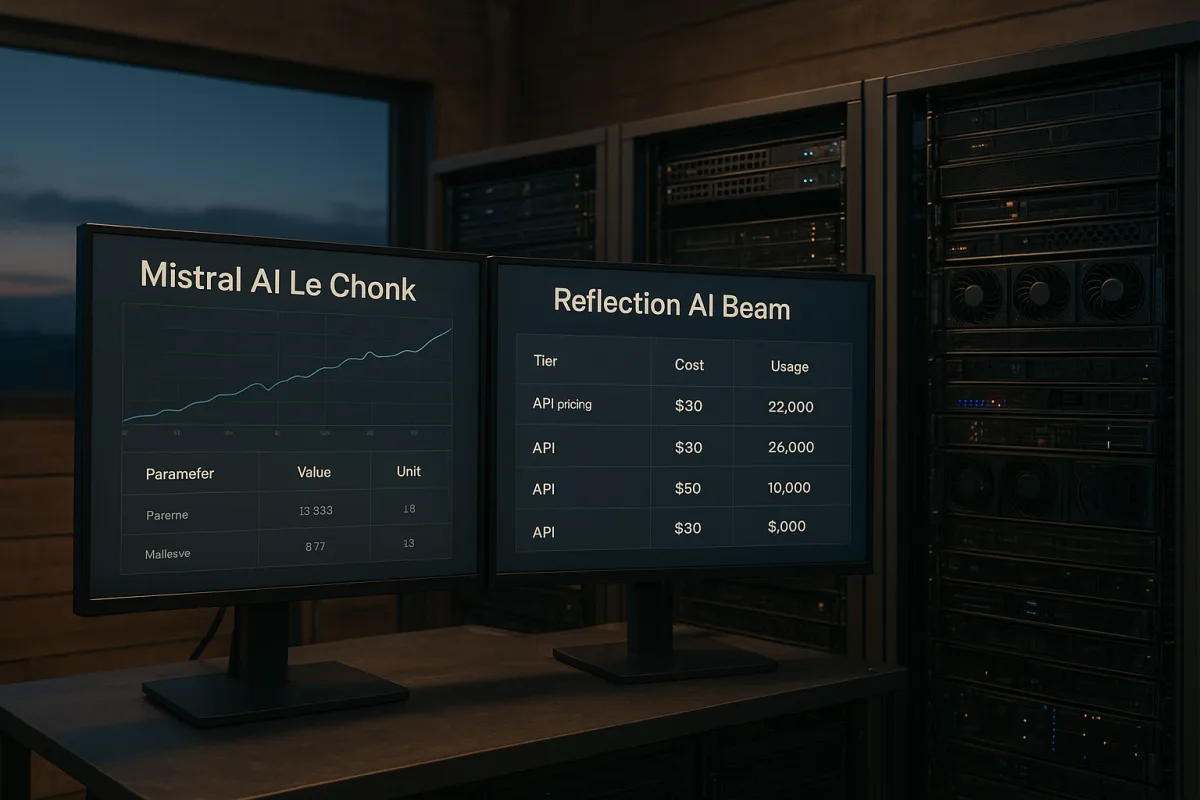
Mistral AI Le Chonk vs Reflection AI Beam
Compare Mistral AI Le Chonk and Reflection AI Beam open-weight models, their specs, benchmarks, pricing, and deployment readiness in 2026.