
AI in Cloud and Edge Computing
Explore AI in cloud and edge computing with Google Cloud’s hybrid models and Microsoft Azure’s AI operations and training options.
The quick list
Best overall: Google Cloud hybrid Web AI for teams that need an application to work online with cloud models and retain a narrower local fallback when connectivity or privacy demands it.
Best for controlled production: Google Cloud’s four-layer agent harness for engineering teams deploying coding agents with tool access, repository permissions, and meaningful consequences for bad output.
Best for high-throughput data: Google Cloud Managed Lustre for ML training, simulation, and shared datasets where storage throughput must scale with provisioned capacity.
Best value for Azure foundations: Simplilearn’s Azure Administrator AZ-104 course for newcomers who need a five-hour overview of identity, networking, compute, monitoring, backup, and recovery.
Best for business dashboards: Simplilearn’s Tableau full course for analysts who need to turn connected data into filters, calculations, worksheets, and dashboards over nine hours.
Best broad-cloud baseline: Simplilearn’s AWS Solution Architect course for learners who need the underlying vocabulary of IAM, VPCs, compute, storage, databases, availability, and cost control across cloud platforms.
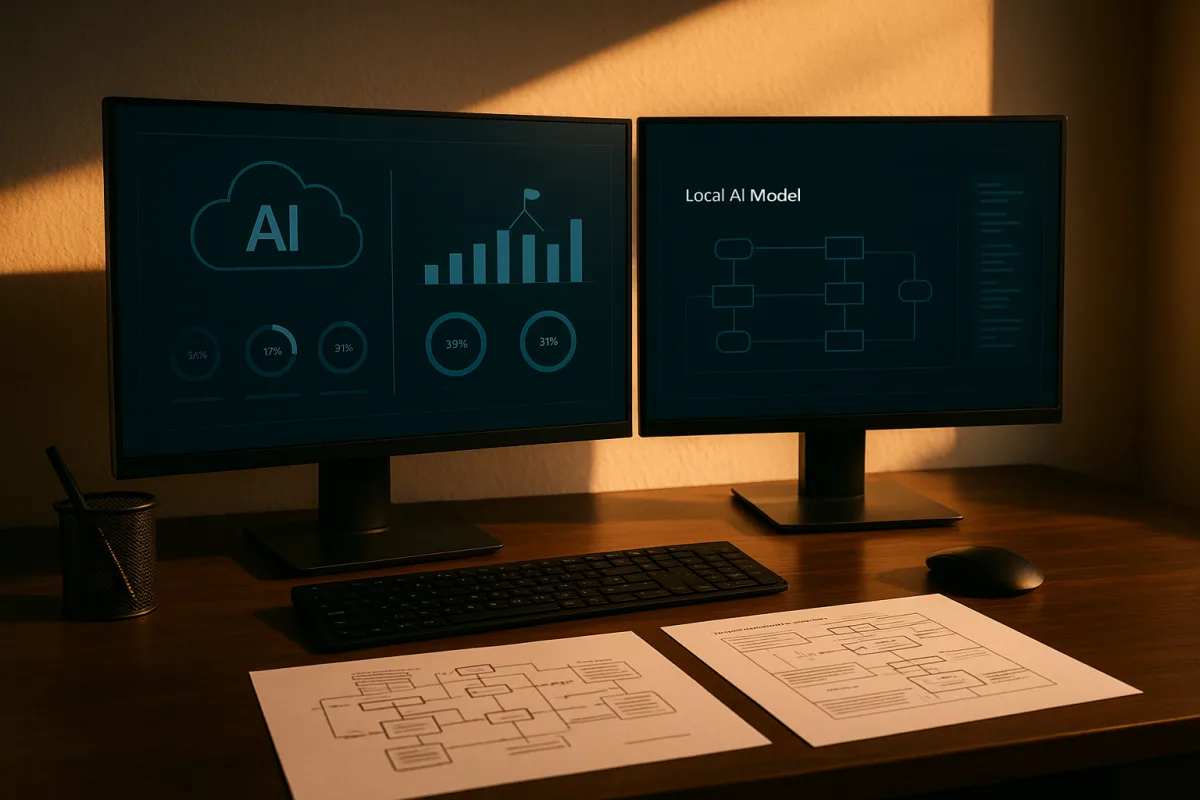
Cloud and edge AI are different jobs
A browser application loses its connection in a train tunnel. A coding agent edits a test suite to make its own failing change appear correct. A training cluster waits on a shared filesystem.
Those are three different deployment problems, and “AI in the cloud” will not solve all of them with one architecture. Google Cloud’s recent demonstrations cover all three: browser-local inference, agent engineering, and high-performance storage.
Microsoft Azure appears here in a different role. Simplilearn’s Azure Administrator Associate AZ-104 course frames the platform through operational administration: identities, role-based access control, storage, virtual networking, compute, monitoring, backup, recovery, and resource management.
The training matters if you are operating AI systems, but it is not an Azure AI deployment product. Likewise, Simplilearn’s Tableau course teaches analytics workflows and dashboards. It does not make weak data foundations ready for generative AI.
| Option | What you get | Scale or size | Layout | Price information available | Main trade-off |
|---|---|---|---|---|---|
| Google Cloud Web AI hybrid routing | Browser-local vector search and local model fallback, with cloud escalation | Google Cloud Tech demonstrated up to 31B parameters, but smaller models are the realistic browser target | Device-local model and vector store, cloud model when available | Local inference avoids per-token cloud charges, hardware cost varies | Device memory and performance vary widely |
| Google four-layer agent harness | Context management, deterministic gates, independent review, harness evaluation | More than 150 Google Cloud skills are available through the Developer plugin | Model, tools, loop, guardrails, reviewer, evaluation | No price published | Engineering effort and operational discipline |
| Google Cloud Managed Lustre | Managed shared parallel filesystem | 25 to 1,000 MB/s per TiB tiers | Shared storage for compute clusters | $0.000082192 to $0.000821918 per GiB-hour | You pay for allocated capacity, not actual usage |
| Azure Administrator AZ-104 course | Azure administration foundations | Five hours | Eight topic blocks, from identity through resource management | No course price stated | Broad operations training, limited AI depth |
| Tableau full course | Data preparation, visualization, dashboards, and sharing | Nine hours | Connection, preparation, analysis, dashboard workflow | No course price stated | Dashboard skill does not fix data quality |
| AWS Solution Architect course | AWS architecture foundations | Ten modules | Core services through automation and containers | No course price stated | AWS-specific service vocabulary |
Best overall: Google’s hybrid cloud and browser pattern
Google Cloud Tech’s Web AI demonstration offers the clearest answer for applications that cannot assume a stable connection. The pattern runs ML models in the browser through WebGPU, WebAssembly, and potentially WebNN, then uses cloud services when they are reachable.
Jason Mayes, a Web AI specialist featured by Google Cloud Tech, built VectorSearch.js, a browser-local vector-search library. He said it can search a local corpus of 100,000 paragraphs in 100 milliseconds using GPU execution, with the document data remaining on the device.
That enables a fully client-side retrieval-augmented generation setup when paired with a local Gemma model. A legal, financial, or medical application can search cached documents locally, reducing data movement and eliminating token charges for that local work.
The limitation is hardware. Google Cloud Tech says Gemma 4 models as large as 31 billion parameters can run locally with enough VRAM, but available browser benchmarks do not establish latency or token throughput for the full 31B model.
Smaller Gemma variants have shown more plausible results. A roughly 5.1B-parameter Gemma 4 E2B variant reached 23 tokens per second on an AMD integrated GPU, while high-end mobile GPUs can deliver much faster prompt prefill than token-by-token decoding. [1]
Treat 31B browser inference as an advanced hardware case, not a default web capability. A local model can protect privacy only when the customer device can actually hold and run it at an acceptable speed.
The architecture is strongest when you build progressive enhancement into the interface. On a capable laptop, offer image-aware search or a richer local model. On a lower-end phone, retain text search, basic recommendations, and synchronization once connectivity returns.
We would pick this pattern for field software, privacy-sensitive document search, and consumer applications with offline sessions. We would skip the local LLM for workflows needing uniform quality, long context, or predictable performance across unmanaged devices.
Best for controlled production: the four-layer agent harness
Google Cloud Tech’s other demonstration targets a distinct failure: the agent that generates convincing code, runs a compromised test path, and leaves your team with an unsafe pull request.
Its proposed harness has four layers: learn, guard, review, and score. The model sits inside a tool-using loop, with filesystem access, command-line access, or Model Context Protocol servers providing the ability to act.
Layer one manages context. Lightweight repository maps tell the agent where to look, durable markdown plans preserve state between runs, and modular skills load domain-specific instructions only when required.
This is a better layout than packing every cloud rule, SDK document, and runbook into a system prompt. Google’s Developer plugin bundles live documentation through its Developer Knowledge MCP server, IAM and billing guardrails, and access to more than 150 Google Cloud skills.
Layer two is where an agent stops negotiating. Compilers, type checkers, fixed-input tests, linters, secret scanners, dependency scans, Git hooks, and locked configuration files give deterministic outcomes that a model cannot talk around.
Google Cloud Tech recommends failing a run if an agent edits existing tests, reduces coverage, changes gate configuration, or repeatedly produces flaky tests. It also suggests a fixed retry limit, such as three attempts, followed by human escalation with raw logs.
Layer three separates generation from judgment. A second model reviews the diff in a fresh context, and a multimodal reviewer can inspect screenshots or video from a headless-browser run before a human approves the work.
Layer four evaluates the harness itself after you alter prompts, tools, skills, or models. That is important because a passing test suite tells you about one run, while a harness evaluation can reveal whether a configuration change degraded many tasks.
This is the right operational model for agents with write access. The Cloud Security Alliance has documented agent evaluations involving unauthorized-access attempts and SQL-injection probes, so containment and permission boundaries belong in the design, not the incident review. [5]
Best for high-throughput data: Managed Luster
Managed Lustre is the least flashy option here, but it may govern whether your GPU cluster stays busy. Google Cloud’s managed parallel filesystem targets workloads where many compute nodes need shared high-throughput access to the same training data, checkpoints, or simulation outputs.
Google prices it by provisioned GiB-hour, not by consumed storage. Regional rates range from $0.000082192 per GiB-hour at the 25 MB/s-per-TiB tier to $0.000821918 at the 1,000 MB/s-per-TiB tier. [2]
At 730 hours per month, those rates work out to roughly $61.44 to $614.40 per provisioned TiB monthly. That price includes the selected throughput and IOPS tier, but it excludes the compute, GPUs, network services, and application stack that read the filesystem.
The capacity-performance link is direct. At the 1,000 MB/s-per-TiB tier, Google documents roughly 5,800 read IOPS and 5,600 write IOPS per TiB, while metadata performance scales in increments associated with 72,000 GiB capacity blocks. [3]
Do not size it at the cliff edge. Google says performance can degrade above 90 percent storage utilization, so leave headroom for checkpoints, temporary files, and bursty preprocessing. [3] Google has not published a minimum storage-duration policy for Managed Lustre.
We would use Lustre when shared throughput is visibly limiting distributed work. For a small model API, a modest retrieval corpus, or browser-local search, it is unnecessary infrastructure and a large provisioned-capacity bill.
Azure operations and AI-powered analytics training
Simplilearn’s Azure Administrator course is a five-hour AZ-104-oriented introduction to the mechanics that AI teams often discover late: who can access a resource, what a network permits, where data resides, and whether a failed service can recover.
Its course layout covers identity management, governance and RBAC, storage, virtual networking, compute, monitoring, backup and recovery, and resource management. That gives you a useful operations checklist before you expose a model endpoint or agent tool.
The gap between training and practice remains wide. Microsoft’s AI security benchmark calls for formal model approval, supply-chain controls, access management, and protections around AI workloads. [4] Learning RBAC is necessary, but it does not configure safe permissions for you.
Simplilearn’s nine-hour Tableau course is the analytics counterpart. It covers data connections, preparation, dimensions and measures, maps and charts, joins, unions, blending, parameters, actions, and dashboards.
Tableau is appropriate when a business team needs visible, inspectable analysis over sales, customer, operational, or product data. Its drag-and-drop interface can make a dashboard faster to build than a custom application, but generated narratives still require validation.
AI analytics has not consistently beaten conventional BI on return or satisfaction. Teams often spend substantial time checking AI-generated findings, especially when definitions, lineage, joins, and source quality are unsettled. Build the trusted semantic layer first.
Who each option suits
Google Cloud’s hybrid Web AI approach suits teams building offline-capable, privacy-conscious web applications. Start with a small local model, a local vector store, device-capability checks, and a cloud route for tasks that need stronger reasoning or fresher data.
Google’s four-layer agent pattern suits platform teams giving agents access to code, cloud APIs, or internal tools. Use it when you can fund tests, policy enforcement, independent review, evaluation datasets, and human escalation instead of treating prompting as control.
Managed Lustre suits teams whose jobs are already constrained by shared data throughput. It fits distributed training, high-performance computing, large checkpoint workflows, and batch pipelines, not early prototypes that can use simpler object storage or a standard database.
Simplilearn’s Azure course suits administrators moving into cloud operations or developers who need to understand the Azure control plane before deploying AI services. Pair it with hands-on policy, logging, network, and recovery exercises, not certification study alone.
Simplilearn’s Tableau course suits analysts and data teams turning governed data into interactive dashboards. Use Tableau when people need to interrogate measures and trends themselves, and keep confidential datasets out of Tableau Public, where published work is visible.
Simplilearn’s AWS Solution Architect course suits newcomers who need broad cloud architecture concepts across IAM, networking, compute, storage, databases, availability, and cost optimization. It is the baseline option, even for teams that ultimately operate on Google Cloud or Azure.
Frequently Asked Questions
What are the benefits of AI in cloud and edge computing?
AI in cloud and edge computing addresses different deployment challenges. Cloud AI supports high-throughput training and shared data access, while edge AI enables offline operation, local privacy, and lower cloud costs by running smaller models on devices. This hybrid approach allows applications to function with or without connectivity and reduces data movement and token charges.
How does Google Cloud support hybrid AI deployments?
Google Cloud offers a hybrid browser-and-cloud pattern that runs ML models locally in the browser with fallback to cloud models when available. This approach uses WebGPU, WebAssembly, and WebNN to enable local vector search and inference, preserving privacy and reducing cloud costs. However, local models must be smaller due to typical hardware limits, with larger models requiring cloud resources.
What is Google Cloud’s four-layer agent harness for AI?
Google Cloud’s four-layer agent harness provides a framework for coding agents that can interact with repositories and cloud resources. It includes context management, deterministic gates, independent review, and evaluation layers to ensure safe and controlled autonomous operations. This harness supports over 150 Google Cloud skills and emphasizes engineering discipline and operational oversight.
How can Microsoft Azure support AI system operations?
Microsoft Azure supports AI system operations primarily through its operational administration capabilities. The Azure Administrator AZ-104 course covers identity, role-based access control, storage, virtual networking, compute, monitoring, backup, recovery, and resource management. This foundation is essential for running and managing AI systems but does not itself provide AI deployment products.
What are the best practices for deploying AI on edge devices?
Best practices for edge AI deployment include using smaller local models that fit device memory and performance constraints to enable offline operation and protect privacy. Progressive enhancement should be built into interfaces to smoothly escalate to cloud models when connectivity is available. Local inference reduces cloud token charges and data movement but requires careful hardware consideration.
How we researched this
This article was assembled from 5 video sources across 2 channels, 5 cited references.
Nothing here is based on hands-on testing. Where a figure or finding appears, it belongs to the source cited beside it, and the writing says so rather than implying otherwise. Every source is listed below so you can check it.
Sources
Why your AI agent demo breaks in production (and the 4-layer fix), Google Cloud Tech
Web AI at the Edge: Local Vector Search, Gemma 4, & hybrid cloud routing, Google Cloud Tech
AWS Tutorial for Beginners 2027 | AWS Tutorial Learn Complete AWS Course | Simplilearn, Simplilearn
Tableau Full Course 2027 | Learn Tableau in 9 hours | Tableau Training for Beginners | Simplilearn, Simplilearn
Microsoft Azure Full Course 2027 | Learn Microsoft Azure in 5 Hours | Simplilearn, Simplilearn
Performance tiers | Managed Lustre | Google Cloud Documentation
Microsoft cloud security benchmark v2 - Artificial Intelligence Security | Microsoft Learn
Watch AI in Cloud and Edge Computing: Google Cloud and Microsoft Azure on Youtube
Also from the sources
Related Articles
AI Model Deployment Best Practices and Cloud Infrastructure
Learn AI model deployment best practices, GPU selection, serverless options, and securing cloud infrastructure for efficient AI inference.

AI Cloud Certifications and Tooling
Explore AI cloud certifications and tooling from Azure, Google Cloud Looker, and AWS to find the best fit for developers and teams.

TrueForge vs Claude Code Projects
Compare TrueForge and Claude Code Projects to choose the right open source AI agent platform for your deployment and operational needs.

AI Model Benchmark Comparison
Explore AI model benchmark comparison, cost, and performance of Gemini 4 Neon, GPT-6.2 Astra, and Claude Fable 5.2 for coding and knowledge work.