
Advances in AI Agents with Real-Time Vision and Multimodal
Explore advances in AI agents using real-time vision and multimodal capabilities for improved task handling and voice-vision integration.
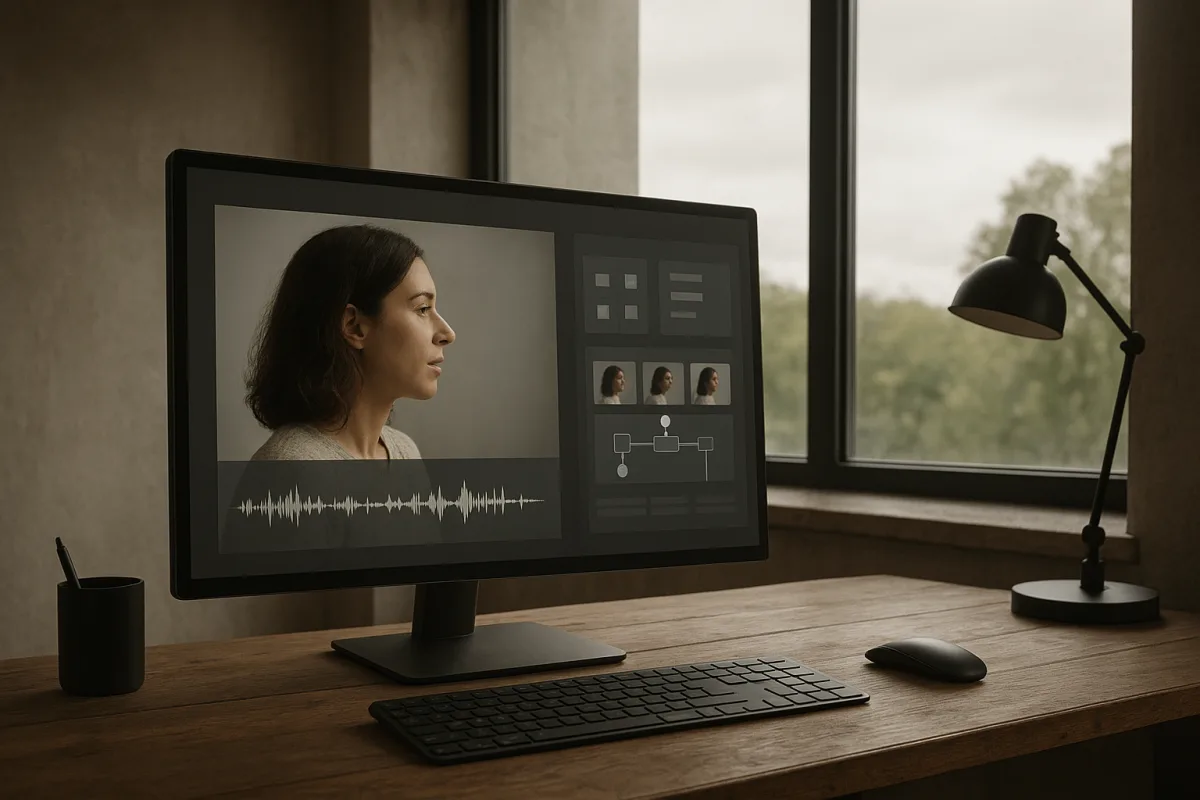
Choose the moment your agent needs to see
You are deciding whether an agent needs a quick look at something a user presents, or ongoing visual awareness while events unfold. Those are different products. A document reader, shopping assistant, browser helper, and equipment inspector usually begin with a snapshot.
Google Cloud Tech describes the Gemini Live API vision path as image blobs delivered into the same live session that receives audio. The browser captures a frame, encodes it as a JPEG, and sends those image bytes with a MIME type to the model.
Treat live video as a sequence of still images, not as an MP4 the model watches continuously. Google’s documentation says Gemini Live processes video at one frame per second, so it is poorly matched to fast gestures, rapid machinery movement, or split-second safety decisions. [11]
Use a snapshot after a meaningful event: a user asks what a label says, an agent clicks a browser control, a form finishes loading, or a worker points the camera at a part. One image gives the model a visual reference without filling the session with redundant frames.
We would make snapshots the default API contract. Require the application to name why it captured each frame, such as user_requested_identification or post_click_state, because that gives you an audit trail and makes later debugging far easier.
Stream frames only for changing scenes
Choose a stream when the scene changes independently of the agent and the next action depends on catching that change. A room-navigation assistant, a remote monitoring interface, or a live procedure coach may need continuing observation instead of a single inspection.
Keep the rate modest and define an event that stops the stream. Google Cloud Tech warns that continuous images consume context and tokens, and that excessive frames can interrupt a live voice interaction, producing a worse conversation for the user.
Google has not published latency or throughput benchmarks for Gemini Live video-agent workloads. Its documentation instead gives token-rate limits of 25 tokens per second for audio and 258 tokens per second for video, within a 128,000-token context window. [11]
Those numbers are capacity boundaries, not a promise of conversational responsiveness. Log end-to-end time from camera capture through model response and action completion, since network transport, frame encoding, retrieval, tool calls, and your application queue can dominate model time.
For continuous monitoring, split perception from conversation. Google Cloud Tech’s suggested “skywatcher” pattern uses a dedicated vision component to look for a narrow signal, such as a hazard, gesture, or state change, then alerts the speaking agent only when it finds one.
This is also a cost and context-control decision. The main agent does not need a running visual diary when it only needs to know that a door opened, a safety helmet disappeared, or a user raised a hand.
Connect voice and vision around a shared reference
A voice agent becomes materially better when the user can say “what is this?” while holding an object in frame. Audio supplies the intent, and the image resolves what “this,” “that,” or “the one on the left” refers to.
Use one live session for tightly coupled conversational turns, such as reading a package label aloud or helping a user complete a form. Google Cloud Tech shows that audio chunks and image frames can enter the same conversation, allowing the model to use both signals in its response.
Do not assume the model will resolve conflicting signals the way a person would. Multimodal systems can favor visual input when visual and audio cues disagree, and published analyses identify audio understanding as a larger share of observed errors than visual errors. [6][7]
For decisions with consequences, ask for explicit confirmation. If the agent hears “refund the blue order” but sees two blue packages, it should present the candidate order details and wait, rather than infer identity from an ambiguous frame.
Use timestamps for every audio segment and image frame, then retain the association in session logs. Timestamp-based synchronization and dynamic batching are common ways to align audio-visual workloads where inputs arrive at different rates. [3][4]
Pick a fusion design that matches the task
Choose early fusion when the timing relationship between modalities carries the meaning. Lip movements aligned with speech, a hand signal synchronized to a command, or an interface action narrated as it occurs can benefit from combining audio and visual representations early. [3]
Choose late fusion for most support, monitoring, and enterprise workflows. Separate components can extract a visual result and an audio result, then merge their outputs, reducing compute and allowing each component to run at the cadence its input needs. [3][4]
A unified model can reduce pipeline handoffs, but do not buy architectural simplicity with unmeasured delay. The Wan-Streamer authors report model-side latency around 200 milliseconds and total interaction latency near 550 milliseconds for their end-to-end system, figures that do not establish Gemini Live performance. [1]
WebRTC is a common transport choice when your agent needs low-latency bidirectional media. It can reduce streaming overhead, but it does not solve slow tool calls, overloaded backends, ambiguous perception, or a workflow that waits for unnecessary model decisions. [5]
Start with one agent and a limited tool set
Build your first working version around one agent if the job has a clear goal but the route to the answer varies. Google Cloud Tech uses a customer asking for a missing-order refund: the agent can find an order, check tracking, retrieve policy, and propose an outcome.
Give that agent only the tools it needs, with descriptions that distinguish their scopes. A shipment lookup should retrieve carrier status, while a refund request should submit a constrained action after your backend verifies eligibility.
Set a turn limit, timeout, and escalation path before you expand its capabilities. An agent that cannot identify an order, cannot reconcile conflicting visual evidence, or reaches its tool-call limit should ask the user for a specific missing detail or hand off to a person.
Keep exact checks outside the model. Google Cloud Tech’s architecture places refund authorization in the refund function itself, so the model may request an action but cannot override the code that decides whether it is allowed.
Split specialists only when the boundary is real
Move to an agent team when separate domains have distinct instructions, data access, and tools. Shipping investigation and billing policy are a credible split because each needs different records and has different failure modes.
Use a coordinator to delegate a defined assignment and require structured returns: order ID, evidence consulted, finding, confidence or ambiguity flag, and recommended next step. A prose handoff invites omissions that become expensive when another agent acts on it.
Google Cloud Tech notes that specialist agents may use the same underlying model. What separates them is their instructions, working context, and available tools, which is useful because you can change shipping behavior without exposing billing rules everywhere.
Do not create a team merely to make an architecture diagram look agentic. Extra agents add cost and delay, and a missing fact in a handoff can produce the wrong decision even when each specialist performed its own narrow task correctly.
Put required steps into a graph workflow
Use a graph workflow as soon as your process includes mandatory checks, parallel work, retries, human approval, or irreversible actions. It is an executable flowchart: nodes run functions, model calls, or agents, while edges determine sequencing, branches, and loops.
For a vision-enabled refund flow, run ordinary code first to authenticate the user, load order and payment records, and verify ownership. Then let an agent interpret the customer’s request and any image evidence, such as a damaged delivery photograph.
Before money moves, calculate the refund amount from payment records in code, check for duplicate requests, verify policy conditions, and route exceptions to a person. The model can explain the confirmed result clearly, but it should not calculate or authorize it.
Google Cloud Tech’s key distinction is control. An agent can choose a tool, while a workflow node guarantees that a check runs at the required point, without spending tokens asking a model to select an operation your application already knows is mandatory.
Use workflow state to preserve the original image reference, extracted observations, transcript turns, retrieval results, and tool outputs. You need this record when a customer disputes an outcome, a reviewer investigates an error, or a developer diagnoses a failed handoff.
Choose retrieval before adding a vector database
Vision and live conversation do not eliminate the need for grounded knowledge. Your agent may need product documentation, policy text, repair instructions, or account records before it can translate what it sees into a reliable recommendation.
IBM Technology recommends starting at the lowest retrieval layer your corpus supports. If the relevant material fits comfortably in the model context, provide it directly; if exact terms are dependable, let an agent iteratively use keyword search.
Keyword search can work well when the agent can refine its query after reviewing results. It will fail across a semantic gap, such as a user asking to reset a password while the relevant support article is titled “credentials loop after update.”
Add vector search when users and documents routinely describe the same issue in different language. Start with a vector index in the database you already operate, then consider a dedicated vector database only when you reach many millions of vectors under frequent, latency-sensitive queries.
Avoid dumping an ever-growing knowledge base into a long live session. Larger context windows reduce retrieval work, but irrelevant accumulated material can degrade answers and slow the agent, especially when audio, images, transcripts, and tool results all share the same context budget.
Test the failures your users will actually meet
Create a test set from your intended environment: poor lighting, glare, partial labels, overlapping objects, accents, background noise, interrupted speech, conflicting instructions, and missing account data. Test complete workflows, not isolated image-captioning prompts.
Track whether the agent identifies the right object, requests clarification at the right time, calls the correct tool, respects workflow gates, and gives the user an accurate explanation. No public standardized benchmark currently provides detailed deployed-agent error rates for real-time object recognition or audio-visual misunderstanding.
Do not use vision alone for counting, spatial judgment, identity, eligibility, or safety-critical approval. Published work on multimodal systems documents hallucinated descriptions and spatial-reasoning failures, so a confident answer about what is visible needs independent verification when it triggers an action. [6][8][9]
Treat privacy controls as part of the architecture, not a legal review after launch. ITPro reports that 74 percent of surveyed companies had rolled back AI agents, with data exposure, brand damage from hallucinations, and poor auditability among the reported reasons. [10]
Minimize retained frames and transcripts, separate customer data from agent scratch space, redact sensitive content before logs leave your boundary, and record every tool call and human override. In customer service, internal agent messages can expose information that never appears in the final response, so final-output review alone is inadequate. [10]
Frequently Asked Questions
How do AI agents use real-time vision for task execution?
AI agents typically start with deliberate image snapshots to capture meaningful moments, such as a user request or a completed action. Continuous video streams at low frame rates (around 1 frame per second) are used only when ongoing scene changes are critical to the task, like monitoring a live procedure or navigating a room. This approach balances the need for visual context with token and latency constraints.
When should AI agents use image snapshots versus video streams?
Use image snapshots after distinct events that require visual reference, such as reading a label or confirming a form state. Video streams are appropriate when the scene changes independently and the agent must react to those changes in real time, but the frame rate should remain modest to avoid excessive token consumption and degraded voice interaction quality.
How does fusion design affect multimodal AI agent performance?
Early fusion, which combines audio and visual data before processing, benefits tasks requiring tight timing alignment like lip-reading or synchronized gestures. Late fusion, which merges separate audio and visual outputs, is more common for support and monitoring workflows because it reduces compute demands and allows each modality to operate at its optimal cadence.
What are common challenges in deploying AI agents with real-time vision?
Challenges include managing token limits and latency since continuous video streams consume context and can slow conversations. Visual and audio signals may conflict, requiring explicit confirmation to avoid errors. Additionally, standardized benchmarks do not yet capture real-world audio-visual errors well, so measuring task success and safety in the deployment environment is essential.
How we researched this
This article was assembled from 3 video sources across 2 channels, 11 cited references.
Nothing here is based on hands-on testing. Where a figure or finding appears, it belongs to the source cited beside it, and the writing says so rather than implying otherwise. Every source is listed below so you can check it.
Sources
Are Vector Databases Still Needed? RAG, AI Agents & Search, IBM Technology
3 ways to design your agentic system, Google Cloud Tech
Real time vision for AI agents: Snapshots, streams & Gemini Live API, Google Cloud Tech
Wan-Streamer v0.1: End-to-end Real-time Interactive Foundation Models
Real Time Multi Modal AI Agents with WebRTC Guide 2026 | ApexAppWorks Technologies
Multimodal AI models explained: vision, audio, and unified interfaces | AI Glimpse
WorldSense: Evaluating Real-world Omnimodal Understanding for Multimodal LLMs | alphaXiv
Gemini Live API overview | Gemini Enterprise Agent Platform | Google Cloud Documentation
Watch Advances in AI Agents with Real-Time Vision and Multimodal Capabilities on Youtube
Also from the sources
Related Articles
Voice Assistant Development Patterns for Real-Time AI
Explore voice assistant development patterns, latency challenges, and multimodal AI integration for real-time voice applications.
AI Agents Data Governance and API Integration Best Practices
Explore AI agents data governance and API integration to ensure reliable, real-time responses in specialized domains.
AI Agents in Real-Time Applications
Explore how AI agents work in real-time sports, robotics, and voice AI, focusing on latency, specialized tooling, and practical deployment challenges.

AI Agent Development and Multi-Agent Systems Best Practices
Learn AI agent development essentials, from single-agent workflows to multi-agent systems and tool integration challenges.