
AI Automation Workflows
Learn best practices for designing AI automation workflows, setting autonomy levels, and safely integrating AI with business tools.
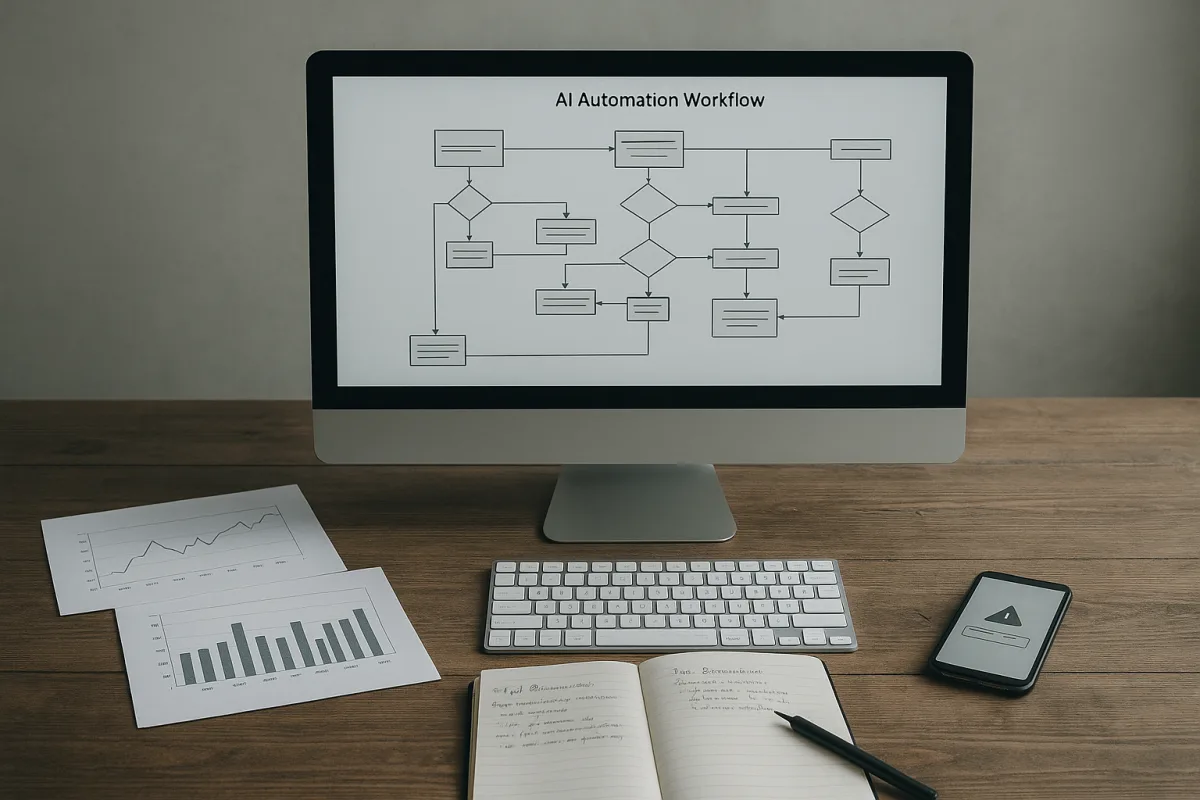
1. Begin with the workflow, not an “AI employee”
The first mistake in agentic AI projects is starting with a role label: sales agent, research agent, content agent. Those labels hide the operational details that determine whether automation is useful or merely produces plausible text.
Start instead with one boring, repeated unit of work. Simplilearn’s agent-building checklist recommends selecting a predictable and frequent task, defining its success metric, identifying required tools, then introducing autonomy gradually. That is much closer to production practice than beginning with a general-purpose assistant.
For a sales team, the first workflow might be: enrich inbound leads, identify missing fields, draft a follow-up, and route it to a human. For creative work, it could be: turn an approved transcript into a draft short-form edit brief.
Write the workflow as a sequence of observable states. For example: new lead received, company data found, qualification score calculated, draft generated, human approved, message sent, outcome recorded. If a state cannot be described, it cannot be reliably automated.
Define a success metric that the system cannot quietly game. “Generate useful sales emails” is not measurable. “Produce drafts that pass manager review without factual corrections, within five minutes of lead creation” is measurable.
This distinction matters because agentic AI is not simply a chatbot with a longer prompt. Simplilearn describes an agent as a system that ingests information, reasons over an objective, and performs actions through tools or APIs. The action layer is where business risk begins.
2. Set the autonomy level before connecting real systems
An agent that can read a CRM record is not equivalent to an agent that can change ownership, alter deal stages, or email a prospect. Tool access should be designed around the consequence of an error.
For low-risk work, use recommendation mode. Let the agent prepare a research summary, classify a ticket, identify anomalies, or draft a message. A person makes the final change, and the approval record becomes training data for improving the workflow.
For medium-risk work, allow batch execution with sampling and review. An agent might tag support tickets, update non-sensitive metadata, or create internal project tasks. Give it reversible actions and a clear undo path.
For high-impact actions, require explicit approval at the decision point. Payments, hiring decisions, legal statements, customer commitments, production code deployment, and changes to regulated records should not be made solely because an agent’s confidence score looked high.
This is not bureaucratic caution for its own sake. SysArt Consulting recommends scoped tool access, action and intent logging, selective memory, and human oversight for on-premise agents. [2] Those controls turn an agent from an opaque automation into a system somebody can investigate.
The governance gap is substantial. Reporting cited in the research brief finds that 80% of AI tools operate without IT oversight, while 62% can access both local data and the internet. That is an obvious route to accidental data disclosure, especially when an agent can search files and call external services.
3. Build a harness, not a dependency on one model
The useful distinction is between the model and the harness around it. In an interview on the Nate Herk channel, AI builder Mark Cash frames the model as the “brain” and the surrounding tools, file access, execution environment, skills, and feedback loop as the system that gives it practical reach.
A web chatbot may write HTML for a landing page. A coding harness can read a repository, write files, run a server, execute tests, inspect failures, and try again. The additional capability comes partly from the model, but largely from controlled access to tools.
Make the harness portable. Put prompts, tool schemas, workflow rules, policy checks, retrieval logic, and evaluation datasets in version control. Keep model-specific syntax in an adapter layer rather than scattering it through every workflow.
This gives you freedom to switch models when quality, latency, cost, or data-handling requirements change. It also prevents a common failure mode: rebuilding the entire automation because a vendor renamed an API or changed a pricing tier.
Nate Herk’s discussion of coding agents makes a valid operational point: skills and agent instructions can decay as tools and model behavior change. Do not solve that by deleting everything on a calendar schedule. Instead, version each skill, attach tests, record its intended scope, and retire it when evidence says it no longer works.
Red Hat’s Emerging Technologies team similarly recommends structured development, distribution, and evaluation of agent skills. [8] A reusable skill should have an owner, a changelog, a test set, allowed tools, forbidden actions, and a rollback version.
4. Give the agent narrow tools with inspectable inputs and outputs
Tool use is the difference between a model that suggests work and a system that completes work. It is also the point where loosely designed workflows become dangerous.
Do not start by giving an agent unrestricted browser access, shell access, and broad credentials to every business system. Build narrow tools with explicit parameters: look up account, create draft, retrieve invoice status, add project task, or fetch approved brand assets.
Each tool should return structured data wherever possible. A calendar lookup should return available slots, not a page of prose. A CRM tool should return account identifiers, ownership, and status fields. Structured results reduce ambiguity and make downstream checks possible.
The Simplilearn course presents a planner-executor pattern that separates longer-term planning from execution. That is useful when a workflow has several steps, but the planner should not directly hold powerful credentials. Let the executor enforce permissions and validate inputs.
A reflective step can improve output quality, but it is not a safety mechanism by itself. Asking the same system to review its own work can catch formatting mistakes or missed constraints. It cannot reliably establish that a claim is true, a customer is eligible, or a payment is justified.
Use external verification wherever possible. For software work, run tests, linters, type checks, and deployment checks. For data work, compare outputs against source records and business rules. For content, validate quotes and links against retrieved source material.
5. Prototype with cheap model access, but plan for throttling and migration
NVIDIA’s NIM platform offers free API access without a credit card to more than 80 models, making it a practical environment for comparing models or building early workflow prototypes. [1] That is useful for experimentation, not a guarantee of free scalable infrastructure.
The important limitation is that the approximate 40 requests-per-minute allowance is shared across models under a single API key. [1] A workflow that calls one model for planning, another for extraction, and a third for review can hit throttling sooner than its architecture diagram suggests.
Use the free tier to establish a model-routing policy. For example, send routine classification, extraction, and formatting tasks to a lower-cost or local model. Reserve stronger models for ambiguous cases, planning, exception handling, or tasks where an error is costly.
The Nate Herk channel describes NVIDIA’s APIs as OpenAI-compatible, which can reduce integration work for existing applications. That compatibility does not eliminate operational work: implement retries, exponential backoff, queueing, timeout handling, and a fallback model before users depend on the workflow.
Paid NIM tier pricing and throughput details are not publicly specified in the supplied research. Do not build a business case that assumes the free tier will convert into a predictable low-cost production service.
6. Add observability before adding a second agent
A single agent with a clear tool chain is usually easier to debug than several specialized agents passing messages between themselves. Add a second agent only when specialization creates a meaningful improvement in quality, safety, latency, or maintainability.
The failure pattern is not mysterious. Multi-agent systems commonly break because roles overlap, task definitions are vague, tools do not connect cleanly, or agents use stale or inconsistent memory. The MAST taxonomy identifies role ambiguity and vague tasks as 41.77% of observed failures.
Before splitting a workflow, specify each agent’s input contract, output contract, authority, escalation conditions, and termination rule. “Research agent” is not a contract. “Return five source-backed findings in JSON, with publication date and confidence flags” is closer.
Trace every run from user request to tool call, model response, validation result, approval, and final action. Expanso recommends end-to-end tracing and standardizing telemetry around OpenTelemetry’s GenAI conventions. [3] This is how teams distinguish a model error from a failed connector or broken workflow rule.
Track operational metrics that reveal failure early: tool-call error rate, retries per task, unapproved actions attempted, approval rejection rate, retrieval miss rate, latency by workflow stage, and cost per completed outcome. A dashboard that only counts conversations is not enough.
Prometheus, Grafana, LangSmith, and Helicone are among the monitoring tools identified in the research brief. The tool choice matters less than retaining enough run-level evidence to reproduce failures without exposing sensitive customer data.
7. Scale only after the economics survive review
Agentic AI can produce real savings, but the reported results are uneven. KXN Technologies reports median first-year net savings of $2.4 million among enterprises deploying at least three agents, with a mean time to measurable ROI of 8.3 months. [7]
That figure should not be read as a default forecast for a smaller company. KXN’s finding concerns enterprises that have already deployed multiple agents, and it does not prove that every workflow or sector reaches similar savings.
The broader picture is more restrained. A McKinsey 2026 survey cited in the research brief found 37% of organizations reporting AI contribution to EBIT, unchanged from the previous year. Strong demonstrations and substantial model spending have not automatically translated into improved operating profit.
Calculate the full cost of an automation: model calls, orchestration infrastructure, observability, security review, data integration, evaluation, human approvals, incident handling, and maintenance. An agent that saves ten minutes but creates five minutes of manager review may not be an improvement.
Finally, establish an exit criterion before launch. Keep a workflow only if it meets its agreed quality, cost, and cycle-time thresholds over a defined period. If it cannot, reduce its scope, return it to recommendation mode, or stop maintaining it.
Frequently Asked Questions
How do you design effective AI automation workflows?
Begin with one repeatable, predictable workflow that has a clearly defined, measurable success metric. Write the workflow as a sequence of observable states to ensure reliable automation, and introduce autonomy gradually, starting with recommendation mode before allowing automated actions. Focus on operational details rather than role labels to avoid vague or impractical automation.
What are best practices for setting autonomy in AI workflows?
Set autonomy levels based on the risk and consequences of errors. Use recommendation mode for low-risk tasks where humans approve final actions, allow batch execution with review for medium-risk tasks, and require explicit human approval for high-impact actions like payments or legal statements. Implement scoped tool access, logging, selective memory, and human oversight to maintain control and auditability.
How can AI workflows be safely integrated with business tools?
Provide agents with narrow, well-defined tools that have explicit parameters and return structured data to avoid unsafe or broad access. Avoid granting unrestricted access to browsers, shells, or broad credentials. Design tool permissions carefully around the potential impact of errors, and maintain detailed logs of actions and intents for governance and investigation.
What metrics should be used to measure AI automation success?
Measure automation success by completed work, error rates, approval burden, and operating costs rather than model benchmarks or impressive demos. Define success metrics that cannot be gamed by the system, such as “produce drafts that pass manager review without factual corrections within five minutes,” to ensure meaningful evaluation of workflow performance.
How do you build a portable harness around AI models for workflows?
Treat the language model as a replaceable reasoning component and build a harness around it that includes tool permissions, workflow logic, knowledge sources, evaluation cases, and audit logs. Keep prompts, tool schemas, workflow rules, and evaluation datasets in version control, and isolate model-specific syntax in adapter layers to enable switching models without rebuilding the entire automation. Version and test each skill to manage changes and retire outdated capabilities safely.
How we researched this
This article was assembled from 3 video sources across 2 channels, 3 published articles, 8 cited references.
Nothing here is based on hands-on testing. Where a figure or finding appears, it belongs to the source cited beside it, and the writing says so rather than implying otherwise. Every source is listed below so you can check it.
Sources
GPT-6 Astra Finally Solves AI Video Editing (full guide) — Nate Herk | AI Automation
How to Actually Choose the Right AI Agent — Nate Herk | AI Automation
Agentic AI Full Course 2026 in 1 hour | Build AI Agents & Workflows | Simplilearn — Simplilearn
Democratic congressmen urge Speaker Johnson to cancel recess over AI — Anadolu Agency — ua.news
Artificial intelligence (AI) chatbot reduced depression, anxiety, and eating disorder risk symptoms — 2 Minute Medicine
From employee retention to artificial intelligence - — New Ulm Journal
Best Practices for On-Prem AI Agents | Enterprise Guide | SysArt Consulting
Atlassian introduces 'always-on' capabilities for agentic development workflows
State of Agentic AI in the Enterprise 2026 | KXN Technologies Research | KXN Technologies
Building skills for AI agents: pitfalls and best practices - Red Hat Emerging Technologies
Watch AI Automation and Agentic AI Workflows on Youtube
Also from the sources
Related Articles

AI Agent Workflows for Reliable Decision Automation
Explore AI agent workflows that enable auditable, human-approved automation for reliable decision-making and coding practices.

AI Automation Workflow Best Practices for Reliable Systems
Explore AI automation workflow best practices and tools to build secure, reliable, and manageable AI-driven processes.

AI Agent Development and Multi-Agent Systems Best Practices
Learn AI agent development essentials, from single-agent workflows to multi-agent systems and tool integration challenges.

AI Automation in Finance Workflows
Explore AI automation in finance workflows with GPT-6 Astra and Claude Fable, focusing on best practices, risks, and human oversight.